
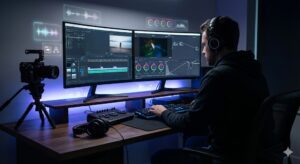
Video editing is one of the most misunderstood parts of the production process. On the surface, it may look like a simple sequence of cutting clips together and adding music. But in reality, editing is a deeply technical, creative, and iterative craft that requires far more time than most people expect. Professional editors often say that the time required depends less on the length of the video and more on the complexity of the footage, the number of revisions, and the expectations behind the final output. In this complete guide, editors share realistic timelines, explain why editing takes as long as it does, and reveal how you can plan efficient post-production workflows using proven industry data.
Why Video Editing Timelines Vary
Editing time rarely follows a strict formula because every project brings its own challenges. A simple talking-head video might be completed in a few hours, while a cinematic short film can take weeks, months, or even years. Projects differ in pacing, structure, story, and required technical steps. Many editors explain that even videos of the same length can have drastically different timelines if one includes multiple camera angles, poor audio quality, or heavy effects. The timeline also expands with every round of feedback, as each revision demands new cuts, new renders, and new adjustments. Because of this, editors typically avoid guaranteeing exact turnaround times without first reviewing the footage and creative brief.
Video Length vs. Editing Time
While length is not the only factor, it still plays an important role. Several industry sources report that editors often spend 30 to 60 minutes of editing time per finished minute of video on average. This means even a short one-minute piece may require between half an hour and two hours of actual work, depending on the level of polish needed. For basic edits, a five-minute video might take three to six hours, while more advanced versions with graphics or grading can extend to eight or even ten hours. A ten-minute video may therefore require six to ten hours at the low end or up to twenty hours for more detailed work. Longer pieces, such as corporate trainings or mini-documentaries, naturally expand these numbers, with some thirty-minute final cuts taking fifteen to twenty hours for simple versions and more than forty hours for fully polished pieces. In extreme cases—especially in film—editors have noted that even five-minute artistic shorts have taken years to complete due to the depth of refinement required.
How Project Type Influences Time
Different types of videos come with different industry expectations. Short-form YouTube content may be quick when producing fast-paced commentary pieces, often ranging from one to four hours for straightforward one-to-four-minute videos. Moderately complex vlogs or reviews commonly take five to ten hours. Highly stylized content such as travel montages, cinematic sequences, or music-video-style YouTube edits can demand fifteen to thirty hours or more. Some professional-grade cinematic YouTube projects may even require over forty hours of post-production. Corporate videos, depending on the approval process, can take up to one or two weeks, even if the actual hands-on editing time is shorter, because each revision cycle adds waiting time. Short films often require two to four weeks, especially when sound, color grading, and consistency in storytelling are critical.
How Raw Footage Impacts Editing Time
Editors consistently point out that the more raw footage they must sort through, the longer the entire process becomes. Reviewing, organizing, and marking footage is a time-intensive stage. Poorly shot or inconsistent footage—such as shaky shots, low lighting, bad audio, or incomplete takes—extends the timeline because editors must spend additional time fixing issues or finding salvageable moments. Conversely, clean, well-organized footage significantly reduces the workload.
Skill, Tools & Technical Setup
Another major variable is the editor’s experience and workflow. Skilled editors with efficient systems, optimized computers, and streamlined processes can complete projects faster. High-performance hardware reduces rendering and exporting times, while high-quality software helps automate repetitive tasks. Newer AI-assisted tools can accelerate some steps, but editors still emphasize that creative decisions, story structure, and polishing require human attention.
Client Feedback and Revisions
Even the quickest edit can double or triple in duration when multiple rounds of revisions are required. Feedback may involve changes in pacing, updated graphics, replacement clips, audio adjustments, or complete restructuring of parts of the video. Each revision requires new render times, new exports, and new uploads for review. This makes revision management one of the most underestimated components of a project’s timeline.
What Happens During the Editing Process
Understanding what editors actually do helps explain why video editing takes longer than most people assume. The process consists of multiple steps that require technical knowledge and artistic judgment. Editors must interpret the project’s vision, assess raw footage, shape the story, and enhance the visual and auditory experience. Each stage builds on the last, and skipping or rushing one step can reduce overall quality.
Sorting and Logging Footage
Before any cutting begins, editors must organize the footage. This includes reviewing all clips, removing unusable shots, tagging important moments, organizing files into bins, and syncing audio and video. This stage alone can consume hours, especially when dealing with multiple cameras or when the footage runs long.
Moving from Rough Cut to Final Cut
The rough cut establishes the structure of the video. Here, editors arrange clips in order, shape the narrative, adjust pacing, and create the basic flow. Once the rough cut is approved, the fine cut focuses on tightening transitions, adding text or overlays, refining timing, and perfecting the presentation. This part of the process is highly creative and often involves repeated experimentation.
Color, Audio, and Graphics
After the visuals and story are locked, editors turn to color grading, audio cleanup, sound design, and graphic elements. Color grading balances exposure and color tone, while sound adjustments remove background noise and enhance clarity. Motion graphics, lower thirds, transitions, and visual effects require specialized skills and can take significant time depending on complexity.
Revisions, Exporting, and Delivery
Once the final cut is shared, editors address feedback and perform the necessary revisions. The video then undergoes exporting, a technical process influenced by hardware speed, file format, and resolution. Higher-quality outputs like 4K can take noticeably longer to render. After export, the file is reviewed for errors before final delivery.
How to Estimate and Speed Up Editing Timelines
Although video editing is inherently time-consuming, it is possible to estimate the workflow more accurately and shorten the overall process with the right preparation. Clear communication, organized footage, and realistic expectations play a crucial role in achieving quicker turnaround times.
Estimating Based on Final Video Length
A good starting point for estimation is the industry guideline of spending thirty to sixty minutes of editing work per finished minute of content. However, this estimate should always be adjusted for complexity. Videos requiring heavy graphics, multiple angles, or detailed corrections will naturally push the higher end of the range. Editors stress that timeline planning should focus on how demanding the footage and creative vision are, rather than just looking at the duration of the final cut.
Strategies to Streamline Workflow
The editing timeline can be shortened by preparing a clear brief, providing only the necessary footage, organizing clips before handing them off, and minimizing retakes that create confusion. Editors often recommend delivering footage that is properly labeled and accompanied by reference materials such as scripts or storyboards. Using templates, presets, and efficient editing software speeds up repetitive tasks, and experienced editors can simplify processes while maintaining quality.
Tools and Resource Considerations
Investing in stronger hardware and professional editing tools can significantly reduce waiting times during rendering, loading, and exporting. Faster storage drives, high-performance processors, and optimized editing software contribute to smoother workflows. Many modern editors also incorporate AI-assisted tools for logging, transcription, or rough cuts, but the human element remains essential for storytelling, emotional impact, and final polish.
Final Thoughts
Video editing is a layered, detailed craft that goes far beyond cutting clips together. Editors consistently emphasize that the time required depends on project complexity, raw footage quality, artistic expectations, and the number of revisions. A short video may take only a few hours, while more complex or cinematic projects may extend into dozens of hours or even weeks. Understanding this process not only sets realistic expectations but also helps creators and clients collaborate more efficiently. With the right planning, tools, and communication, editing can transform raw footage into a compelling, high-quality final product.