
The Role of Influencer Marketing in Social Media Management
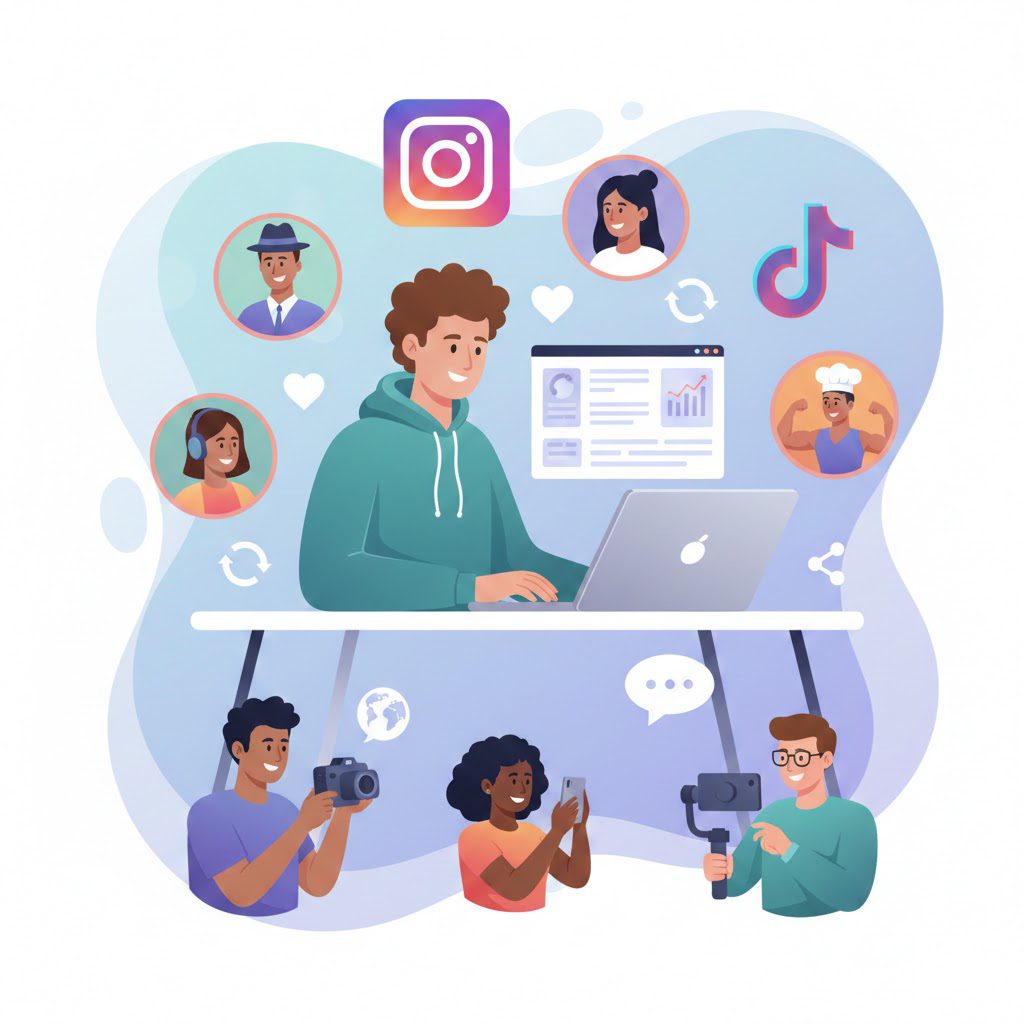
Influencer marketing has become a core component of modern social media management. As social platforms continue to prioritize authentic engagement and community-driven content, brands increasingly rely on influencers to communicate their messages more effectively. Rather than replacing social media management, influencer marketing strengthens it by extending reach, improving trust, and driving meaningful interactions. This guide explores how influencer marketing fits into social media management, why it matters, and how brands can use it strategically. Understanding Influencer Marketing in the Social Media Ecosystem Influencer marketing refers to collaborations between brands and individuals who have established credibility and audiences on social media platforms. These individuals influence opinions, behaviors, and purchasing decisions through content shared with their followers. Unlike traditional advertising, influencer marketing leverages personal relationships and perceived authenticity. According to widely accepted marketing definitions, influencers can range from celebrities to niche creators with small but highly engaged communities. This diversity makes influencer marketing adaptable to different social media management goals and budgets. Social media management, on the other hand, focuses on planning, creating, publishing, monitoring, and analyzing content across platforms. Influencer marketing integrates into this process as a collaborative content and distribution strategy rather than a standalone tactic. How Influencer Marketing Supports Social Media Management Expanding Organic and Paid Reach One of the primary roles of influencer marketing in social media management is expanding brand reach. Influencers allow brands to access audiences they may not reach through organic posting alone. When influencers share branded content, they introduce the brand to followers who already trust their opinions. This extended reach complements social media managers’ efforts to grow followers and visibility across platforms such as Instagram, TikTok, YouTube, and Facebook. Strengthening Brand Credibility and Trust Trust plays a critical role in social media success. Research and industry insights consistently show that audiences are more receptive to messages delivered by people they follow than by brands directly. Influencers humanize brand communication. Their endorsements often feel more genuine than traditional advertisements, which helps social media managers build credibility and long-term brand trust within online communities. Increasing Engagement Rates Engagement is a core metric in social media management. Influencer-generated content often achieves higher engagement rates than brand-owned content because it feels more relatable and conversational. Likes, comments, shares, and saves generated through influencer collaborations signal relevance to platform algorithms. This increased engagement supports broader social media performance and content visibility. The Strategic Role of Influencers in Content Creation Authentic Content Development Influencers are content specialists who understand platform-specific formats and audience preferences. By collaborating with influencers, social media managers gain access to content that aligns naturally with platform trends and user behavior. Rather than highly polished promotional material, influencer content often prioritizes storytelling, demonstrations, and personal experiences. This approach aligns with social media best practices focused on authenticity. Supporting Brand Storytelling Influencer marketing enhances brand storytelling by allowing multiple voices to communicate a consistent message. Influencers can interpret brand values in their own style while maintaining messaging guidelines set by social media managers. This multi-creator approach allows brands to tell richer stories across different platforms and audience segments. Influencer Types and Their Role in Social Media Strategy Nano and Micro Influencers Nano and micro influencers typically have smaller audiences but higher engagement rates. They are especially valuable for community-focused social media management strategies and niche markets. Their followers often view them as peers, making their recommendations feel highly trustworthy. Macro and Mega Influencers Macro and mega influencers offer large-scale visibility and are useful for awareness campaigns and product launches. While engagement rates may be lower compared to smaller influencers, their reach supports top-of-funnel social media objectives. Social media managers often balance large and small influencers to achieve both reach and engagement. Influencer Marketing and Audience Targeting One of the strongest advantages of influencer marketing is precision targeting. Influencers build audiences around specific interests, lifestyles, or industries. This allows social media managers to reach highly relevant user groups without relying solely on paid advertising algorithms. Targeted influencer collaborations help brands communicate the right message to the right audience at the right time. Measuring Performance and ROI in Social Media Management Influencer marketing contributes measurable value to social media management. Metrics commonly used include: Engagement rates Follower growth Traffic and referral data Conversions and sales Brand sentiment and awareness Modern social media management tools allow teams to track influencer performance alongside owned content, making influencer marketing part of a data-driven strategy rather than an experimental tactic. Long-Term Community Building Through Influencers Beyond short-term campaigns, influencer marketing supports long-term community building. Ongoing partnerships with influencers help brands maintain consistent visibility and foster loyalty within social media communities. This relationship-driven approach aligns with the broader goal of social media management: building sustainable, engaged audiences rather than one-time interactions. Challenges and Ethical Considerations While influencer marketing offers significant benefits, social media managers must also address challenges such as: Maintaining authenticity Ensuring disclosure and transparency Avoiding misalignment between influencer values and brand identity Clear guidelines, ethical practices, and compliance with platform and advertising regulations are essential for sustainable influencer strategies. The Future of Influencer Marketing in Social Media Management Industry research suggests that influencer marketing will continue to grow as platforms prioritize creator-driven content. Influencers are increasingly integrated into social media planning, content calendars, and performance analysis. Rather than being a trend, influencer marketing has become a foundational element of effective social media management strategies. Final Thoughts Influencer marketing plays a vital role in modern social media management by enhancing reach, credibility, engagement, and audience targeting. When strategically integrated, it supports content creation, storytelling, and measurable performance outcomes. For brands seeking to build trust and relevance in competitive digital environments, influencer marketing is no longer optional—it is a strategic necessity within social media management.
Why Mobile-First Design Matters More Than Ever in 2026

Mobile-first design is no longer a trend or optional best practice. It has become a foundational approach to building digital experiences that meet modern user behavior, search engine requirements, and performance expectations. As mobile devices continue to dominate how people access the internet, businesses that fail to prioritize mobile experiences risk losing visibility, engagement, and revenue. This guide explores why mobile-first design matters more than ever, how it impacts SEO and user experience, and what principles define an effective mobile-first strategy. Understanding the Mobile-First Design Approach Mobile-first design is a design and development strategy where the mobile version of a website or application is created before the tablet or desktop versions. Instead of shrinking a desktop layout to fit smaller screens, designers begin with the smallest screen and progressively enhance the experience for larger devices. This approach forces teams to focus on what truly matters: essential content, core functionality, and usability under constraints such as limited screen space and variable network conditions. Industry design publications consistently emphasize that mobile-first is not just about layout but about prioritization and clarity in user experience. The Shift in How People Access the Internet Mobile Devices Now Dominate Web Traffic Mobile usage has surpassed desktop usage globally. Research cited across UX and digital strategy sources shows that more than 60% of global web traffic comes from mobile devices, making mobile the primary way users interact with websites today This shift means websites designed primarily for desktop users no longer reflect real user behavior. Mobile-first design aligns digital experiences with how audiences actually browse, search, and convert. Mobile Usage Is Context-Driven Mobile users often browse on the go, during short sessions, or while multitasking. Design sources highlight that mobile users value speed, simplicity, and immediate access to information more than visual complexity . Mobile-first design directly supports these behaviors by reducing friction and cognitive load. Why Mobile-First Design Is Critical for SEO Google Uses Mobile-First Indexing Google officially uses mobile-first indexing, meaning it primarily evaluates the mobile version of a website when determining search rankings. If a site’s mobile experience is slow, incomplete, or difficult to use, its visibility in search results can suffer — even if the desktop version performs well . He makes mobile-first design a direct ranking factor, not just a usability consideration. Performance and Core Web Vitals Mobile-first design naturally encourages better performance. By designing under mobile constraints, teams optimize images, reduce unnecessary scripts, and prioritize fast loading. Performance metrics such as loading speed and interactivity are part of Google’s Core Web Vitals, which influence SEO outcomes. How Mobile-First Design Improves User Experience Clear Content Hierarchy Small screens force designers to prioritize content. Mobile-first layouts highlight essential information first and remove distractions. UX research consistently shows that a clear hierarchy improves comprehension, engagement, and task completion. Touch-Friendly Interactions Mobile-first design accounts for finger-based navigation rather than mouse clicks. Buttons, spacing, and interactive elements are optimized for touch, reducing user frustration and accidental interactions. Design experts emphasize that touch-friendly interfaces significantly improve usability on mobile devices. Performance Advantages of Mobile-First Design Faster Load Times Mobile-first sites are typically lighter and faster because they are built with performance constraints in mind from the start. Faster load times reduce bounce rates and improve overall user satisfaction, especially on mobile networks where connectivity may vary. Better Stability Across Devices By starting small and enhancing upward, mobile-first design ensures consistent performance across screen sizes. Desktop layouts become enhancements rather than bloated foundations, leading to more stable and predictable user experiences. Business Impact of Mobile-First Design Higher Engagement and Conversions Mobile-optimized experiences tend to keep users engaged longer and guide them more effectively toward actions such as sign-ups, purchases, or inquiries. Industry studies cited by UX strategy blogs indicate that improved mobile usability correlates with higher conversion rates and customer satisfaction. Stronger Brand Perception A fast, intuitive mobile experience reflects positively on a brand. Users often associate mobile usability with professionalism and trustworthiness, while poor mobile experiences can damage credibility. Core Principles That Define Effective Mobile-First Design Content Before Decoration Mobile-first design emphasizes meaningful content over visual excess. Design authorities stress that stripping designs to their essentials helps users find what they need faster and improves overall clarity. Progressive Enhancement Rather than removing features for mobile, mobile-first design builds a strong core experience first, then adds enhancements for larger screens. This principle ensures accessibility, performance, and functionality across all devices. Performance as a Design Constraint Performance is treated as a design requirement, not a technical afterthought. Optimized media, efficient layouts, and minimal dependencies are integral to mobile-first thinking. Mobile-First vs Mobile-Friendly vs Responsive Design Mobile-friendly design adapts an existing desktop site to work on smaller screens, often as a secondary step. Responsive design uses flexible layouts to adjust across devices, but does not necessarily prioritize mobile needs first. Mobile-first design differs because it starts with mobile constraints and user behavior as the foundation. UX experts consistently describe mobile-first as a strategy, while responsive design is a technique used within that strategy. Why Mobile-First Design Is No Longer Optional The convergence of mobile dominance, Google’s mobile-first indexing, rising performance expectations, and evolving user behavior has made mobile-first design essential. Websites that continue to prioritize desktop experiences first risk falling behind in search rankings, usability, and customer trust. Designing for mobile first is not about excluding desktop users — it is about creating stronger, more focused experiences that scale effectively across all devices. Final Thoughts Mobile-first design matters more than ever because it aligns digital experiences with reality: how people browse, how search engines rank content, and how performance affects business outcomes. By prioritizing mobile users from the start, organizations create faster, clearer, and more effective digital products that stand the test of time.
Top UI/UX Trends Dominating in 2026: Complete Design Guide

Introduction: Why UI/UX Design Is Entering a New Era in 2026 UI and UX design in 2026 is no longer just about aesthetics or usability. They are about intelligence, responsibility, and adaptability. As technology becomes more embedded in daily life, digital experiences are expected to feel intuitive, inclusive, ethical, and emotionally aware. Advancements in artificial intelligence, mixed reality, and data-driven personalization are reshaping how users interact with products. At the same time, designers are being challenged to create interfaces that protect user privacy, promote digital well-being, and reduce environmental impact. The following sections explore the most dominant UI/UX trends of 2026, backed by industry research and expert analysis. Smart Interfaces Are Redefining User Interaction Multimodal Experiences Are Becoming the New Standard In 2026, users no longer rely on a single mode of interaction. Interfaces are increasingly designed to support multiple input methods simultaneously, including touch, voice, gestures, text, and even contextual signals. This shift allows users to interact naturally depending on their environment and abilities. For example, a user might start an interaction using voice and seamlessly switch to touch without friction. Multimodal UX improves accessibility, efficiency, and overall user satisfaction, making digital experiences more human-like and flexible. AI Is Evolving from a Tool into a Design Partner Artificial intelligence in UI/UX has moved far beyond automation. In 2026, AI acts as a co-pilot within interfaces, assisting users by predicting intent, offering contextual guidance, and adapting layouts in real time. From AI-generated content suggestions to intelligent onboarding flows, designers now build experiences that continuously learn from user behavior. This approach reduces cognitive load while improving engagement, especially in complex applications like SaaS platforms and enterprise tools. Interfaces That Adapt to Individual User Behavior Personalization has evolved into adaptive UX, where interfaces dynamically change based on user preferences, habits, and context. Rather than static dashboards, users experience layouts that reorganize themselves, content that prioritizes relevance, and interactions that feel tailored without being intrusive. This trend focuses on delivering value while maintaining transparency and control, ensuring personalization enhances trust rather than undermining it. Invisible and Immersive Interaction Models Are Expanding Zero-UI and Ambient Experiences Are Gaining Momentum Zero-UI design removes traditional graphical interfaces altogether, relying on voice commands, gestures, and environmental cues. In 2026, this approach is becoming more common in smart devices, automotive systems, and IoT ecosystems. By eliminating unnecessary screens, zero-UI experiences create seamless interactions that feel natural and less distracting, particularly in hands-free or real-world scenarios. Spatial and 3D UX Is Moving into the Mainstream. Immersive design is no longer limited to gaming or experimental projects. Spatial UX, including 3D interfaces, augmented reality, and mixed reality environments, is increasingly integrated into everyday digital products. These experiences allow users to interact with content in three dimensions, improving comprehension, engagement, and realism. Designers must now consider depth, motion, and spatial orientation as core UX principles. Human-Centric UX Patterns Are Leading Design Decisions Hyper-Personalization with Ethical Boundaries While personalization remains a key UX strategy, 2026 emphasizes ethical personalization. Designers are expected to balance customization with user privacy, consent, and transparency. This means offering meaningful control over data usage, explaining personalization logic clearly, and avoiding manipulative design patterns. Ethical personalization builds long-term trust while still delivering tailored experiences. Functional Minimalism Paired with Purposeful Micro-Interactions Minimalist design continues to dominate, but with a stronger focus on functionality over aesthetics alone. Clean interfaces reduce distractions while highlighting essential actions. Micro-interactions—such as subtle animations, haptic feedback, and transition cues—play a critical role in guiding users, confirming actions, and adding personality without overwhelming the interface. Emotional and Empathetic Design Is Becoming Essential UX in 2026 increasingly acknowledges user emotions. Interfaces are designed to respond empathetically by using supportive language, calming visuals, and adaptive feedback during moments of frustration or success. This approach enhances emotional connection, improves retention, and ensures digital products feel respectful and human-centered. Inclusive and Ethical UX Is No Longer Optional Accessibility and Neuro-Inclusion Are Built-In by Default Accessibility standards are expanding to address diverse cognitive, sensory, and physical needs. Designers are focusing on inclusive typography, color contrast, motion sensitivity controls, and simplified interaction patterns. Neuro-inclusive design ensures interfaces are usable by people with ADHD, dyslexia, and other cognitive differences, making digital products accessible to a broader audience. Ethical and Transparent Design Practices Build Trust In response to growing user awareness, ethical UX design in 2026 prioritizes honesty and clarity. This includes avoiding dark patterns, making privacy settings easy to understand, and clearly communicating how user data is handled. Transparency has become a competitive advantage, reinforcing credibility and long-term user loyalty. Sustainability and Digital Wellbeing Are Core UX Principles Sustainable UX Is Influencing Design Decisions Sustainability has entered the UX conversation through energy-efficient interfaces, optimized performance, and reduced digital waste. Lightweight design choices not only improve performance but also lower environmental impact. Designers are encouraged to think beyond visuals and consider how digital products affect global resources. UX That Promotes Healthier Digital Habits Digital well-being is now a design responsibility. Interfaces are being designed to reduce cognitive overload, encourage mindful usage, and prevent burnout. Features such as usage reminders, simplified navigation, and reduced notification fatigue contribute to healthier digital interactions. Visual UI Evolution in 2026 Expressive Visual Styles Are Challenging Uniform Design While minimalism remains popular, 2026 also sees a rise in expressive and bold visual styles. Designers are experimenting with unconventional layouts, typography, and color palettes to stand out in saturated digital markets. This balance between clarity and creativity allows brands to maintain usability while expressing a unique identity. Adaptive Layouts for Multi-Device Experiences With users interacting across phones, tablets, wearables, and immersive devices, UI layouts must adapt seamlessly. Responsive design has evolved into context-aware design, adjusting not just size but structure and interaction patterns based on device and environment. Conclusion: What These UI/UX Trends Mean for the Future The UI/UX trends dominating 2026 highlight a shift toward intelligent, ethical, and human-centered design. Designers are no longer just problem-solvers; they are shaping how people interact with technology on a deeper emotional and societal
How to Elevate Your Content Creation Process With AI

Artificial intelligence is reshaping how content is planned, created, optimized, and distributed. As content demands increase across blogs, social media, videos, and digital platforms, creators and businesses are turning to AI to work faster without sacrificing quality. When used strategically, AI enhances creativity, improves efficiency, and helps scale content production while keeping human insight at the core. This guide explains how to elevate your content creation process with AI, from understanding its value to applying it responsibly across your workflow. Why AI Matters in Modern Content Creation Today’s audiences expect content that is relevant, engaging, and consistent across channels. Meeting these expectations manually can be time-consuming and resource-intensive. AI helps bridge this gap by automating repetitive tasks and providing data-driven support, allowing creators to focus more on strategy, storytelling, and audience connection. What AI Content Creation Really Means AI content creation involves using artificial intelligence technologies, such as natural language processing and machine learning, to assist with content ideation, drafting, editing, optimization, and repurposing. Rather than replacing human creators, AI acts as an intelligent assistant that supports decision-making and accelerates production while humans maintain control over quality and creativity. Key Benefits of Using AI in Your Workflow Integrating AI into your content workflow delivers tangible benefits that improve both output and performance. Speed, Efficiency, and Consistency AI significantly reduces the time required to produce content. It can generate outlines, drafts, and revisions in minutes, helping teams meet tight deadlines. AI also helps maintain consistency in tone, style, and formatting, which is especially important for brands managing content across multiple platforms and teams. Data-Driven Insights and Personalization AI analyzes audience behavior, performance trends, and engagement patterns to inform content decisions. This allows creators to tailor content to specific audiences and create personalized experiences at scale. By relying on data instead of assumptions, AI helps improve relevance, engagement, and overall content effectiveness. Top AI Tools for Every Type of Content AI tools now support a wide range of content formats, making them valuable across creative and marketing teams. Writing and SEO Tools AI writing tools assist with brainstorming topics, structuring content, improving readability, refining tone, and optimizing for search intent. They help creators produce clear, well-structured content while reducing editing time and minimizing errors. Visual and Design AI Platforms Design-focused AI tools help generate images, layouts, and branded visuals quickly. They enable creators to maintain visual consistency and produce professional designs without extensive design expertise, making visual content creation more accessible and efficient. Video and Audio AI Solutions AI tools for video and audio support script creation, voiceovers, subtitles, transcription, and editing. These tools make it easier to create and repurpose multimedia content, expanding reach and engagement across different formats. Step-by-Step AI Content Creation Workflow To maximize results, AI should be integrated thoughtfully into each stage of the content creation process. Ideation and Research With AI AI helps generate content ideas based on audience interests, trending topics, and historical performance. It can summarize research, identify content gaps, and suggest angles that align with user intent. This streamlines the planning phase and ensures ideas are grounded in data. Drafting and Refining Content AI can transform outlines into structured drafts and assist with editing by improving clarity, flow, and grammar. While AI speeds up drafting, human review is essential to ensure accuracy, originality, and alignment with brand voice. This collaboration produces content that is both efficient and authentic. Publishing, Repurposing, and Optimizing AI supports optimization by improving headlines, formatting, and readability. It also helps repurpose long-form content into social posts, summaries, email copy, or scripts, extending the value of each piece. Performance analysis then feeds back into the workflow, enabling continuous improvement. How to Use AI Responsibly and Effectively AI is powerful, but responsible use is critical to maintaining trust and quality. Keeping the Human Touch in Your Content AI lacks emotional intelligence, lived experience, and true creativity. Human input is essential for storytelling, empathy, and originality. The most effective content strategies use AI for efficiency while relying on humans to shape messaging, provide insight, and connect with audiences on a deeper level. Avoiding Common AI Pitfalls Overusing AI without oversight can lead to generic content, factual errors, or repetitive messaging. Clear prompts, defined goals, and careful editing are necessary to avoid these issues. Human review ensures content remains accurate, unique, and aligned with ethical standards. The Future of AI in Content Creation AI will continue to evolve and play a larger role in content ecosystems. Understanding future trends helps creators prepare for what’s next. Full Workflow Automation and AI Agents Advancements in AI may enable more end-to-end automation, including content planning, scheduling, and distribution. AI agents could handle routine tasks while creators focus on strategy, creativity, and high-level decision-making. Balancing Creativity and Technology The future of content creation lies in collaboration. Creators who balance AI efficiency with human creativity will produce content that is scalable, engaging, and meaningful. Technology will enhance the process, but human judgment will remain essential. Final Thoughts Elevating your content creation process with AI is about working smarter, not replacing creativity. By integrating AI into research, drafting, optimization, and distribution, creators can produce high-quality content faster and more consistently. When guided by human insight and ethical use, AI becomes a powerful partner in building impactful, audience-focused content for the digital age.
How Personalization Drives Success in Digital Marketing

Personalization has become a defining factor in modern digital marketing. As audiences interact with hundreds of brands daily, generic messaging is no longer effective. Personalization allows businesses to tailor their communication, offers, and experiences to individual users, making marketing efforts more relevant, engaging, and impactful. What Personalization Means in Digital Marketing Personalization in digital marketing refers to the practice of delivering customized content, products, or experiences to users based on their data, preferences, and behavior. Instead of presenting the same message to every customer, brands adjust their messaging to match individual needs and interests. What a Personalized Experience Really Is A personalized experience uses customer data such as browsing behavior, purchase history, location, or device type to create content that feels relevant to the individual. This can include product recommendations, customized emails, or tailored website content. How Personalization Differs from Generic Marketing Generic marketing focuses on broad audiences with uniform messaging. Personalization, on the other hand, recognizes that customers have different motivations and expectations. By addressing individuals rather than groups, brands can communicate more effectively. Real-World Examples of Personalization Examples include online stores suggesting products based on previous purchases, streaming platforms recommending content based on viewing history, and emails that address users by name while reflecting their interests. Why Personalization Is Essential for Digital Marketing Success Consumers now expect brands to understand their needs. When companies fail to meet these expectations, customers quickly disengage. Increasing Consumer Expectations Modern consumers are accustomed to personalized digital experiences. When brands recognize preferences and anticipate needs, customers feel valued and understood. Cutting Through Digital Noise With countless advertisements competing for attention, personalization helps messages stand out. Relevant content is more likely to capture attention than generic promotions. Personalization as a Competitive Advantage Businesses that successfully personalize their marketing gain an edge over competitors by creating stronger emotional connections and more meaningful customer relationships. Key Benefits of Personalization for Brands Personalization does not only improve customer experience; it also delivers measurable business results. Higher Engagement and Interaction Rates Personalized content encourages users to interact more frequently with emails, websites, and advertisements because it aligns with their interests. Better Conversion and Return on Investment When users receive relevant offers, they are more likely to make a purchase. This improves conversion rates and maximizes marketing spend efficiency. Improved Customer Loyalty and Retention Customers are more likely to return to brands that consistently deliver relevant and personalized experiences, leading to long-term loyalty. Enhanced Customer Experience Across Channels Personalization ensures consistency across platforms, whether customers engage through email, websites, social media, or mobile apps. The Science Behind Personalization: Data and Technology Personalization is powered by data and advanced technology that enables marketers to understand and predict customer behavior. How Customer Data Fuels Personalization Data such as demographics, behavior patterns, and engagement history helps marketers tailor messages and experiences to individual users. Segmentation and Behavioral Insights Segmentation groups users based on shared characteristics, while behavioral analysis focuses on actions users take. Together, they allow for precise targeting. Recommendation Systems and Automation Automated systems analyze large datasets to deliver personalized recommendations in real time, making personalization scalable and efficient. Personalization Across Marketing Channels Personalization can be applied across multiple digital touchpoints to create a cohesive experience. Personalized Email Campaigns Emails tailored to user behavior and preferences perform better than mass emails, leading to higher open and click-through rates. Dynamic Website Customization Websites can display different content depending on the visitor, such as customized landing pages or location-based offers. Social Media and Advertising Personalization Personalized ads target users based on interests and behavior, making campaigns more relevant and effective. Mobile and App-Based Personalization Mobile apps use personalization to send relevant notifications, recommend features, and enhance usability. Best Practices for Implementing Personalization Successfully Effective personalization requires strategy, balance, and ethical data use. Segmenting the Audience Effectively Clear segmentation ensures messages are relevant without becoming overly narrow or repetitive. Tailoring Content and Offers Content should reflect user interests while maintaining brand consistency and clarity. Balancing Automation with Human Insight While automation enables scale, human oversight ensures personalization remains authentic and meaningful. Respecting Privacy and Transparency Customers must understand how their data is used. Transparency builds trust and ensures compliance with privacy standards. Challenges and Pitfalls in Personalization Despite its benefits, personalization also presents challenges. Data Collection and Privacy Concerns Improper data handling can lead to compliance issues and loss of customer trust. Avoiding Over-Personalization Excessive personalization may feel intrusive. Brands must strike a balance between relevance and comfort. Preventing Personalization Errors Inaccurate data or assumptions can result in irrelevant or inappropriate messaging that harms brand perception. Emerging Trends: AI and the Future of Personalization Technology continues to shape how personalization evolves. Predictive and AI-Driven Personalization Artificial intelligence enables marketers to predict user behavior and deliver personalized experiences proactively. Real-Time Personalization at Scale Real-time data processing allows brands to adjust experiences instantly based on user actions. Next-Generation Experiences Technologies such as voice interfaces and immersive digital experiences are expanding personalization beyond traditional formats. Measuring the Success of Personalization Efforts To ensure effectiveness, personalization strategies must be evaluated regularly. Engagement Metrics Metrics such as click-through rates, time spent, and interaction frequency indicate user interest. Conversion and Revenue Impact Tracking sales and conversions helps determine how personalization influences business outcomes. Customer Lifetime Value and Retention Long-term metrics reveal whether personalization strengthens ongoing customer relationships. Conclusion Personalization plays a critical role in digital marketing success by aligning brand messaging with individual customer needs. When implemented thoughtfully, it enhances engagement, improves conversions, and builds lasting customer loyalty. As technology continues to advance, personalization will remain a central component of effective digital marketing strategies.
The Importance of Visual Content in Content Marketing
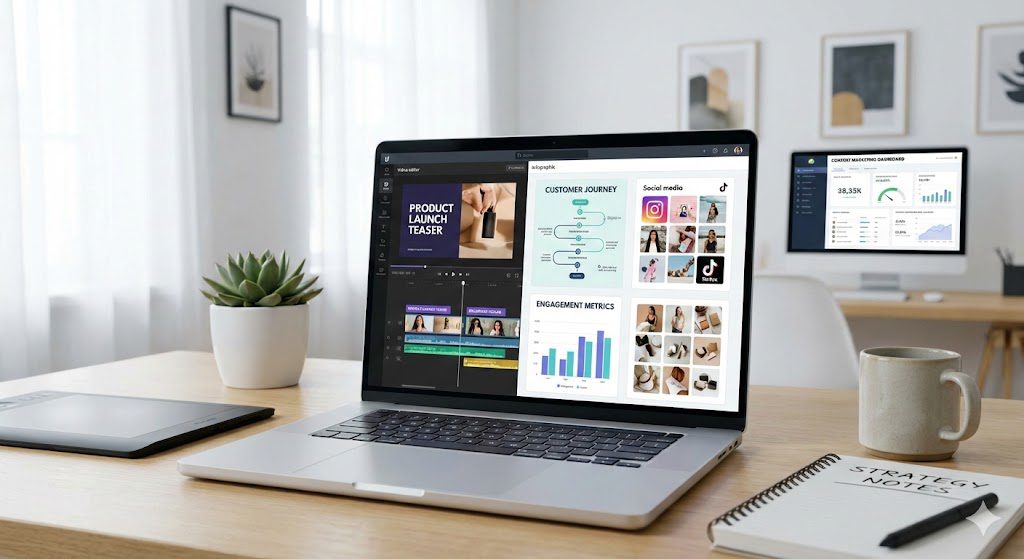
In an increasingly saturated digital landscape, capturing and sustaining audience attention has become one of the biggest challenges for marketers. Visual content has emerged as one of the most effective tools to overcome this challenge, enabling brands to communicate faster, engage more deeply, and convert more consistently than text alone. Modern content marketing is no longer about producing more content—it’s about producing content that is immediately engaging, memorable, and actionable. Visual assets play a central role in achieving that goal. How Visual Content Shapes Audience Attention and Behavior Why the Human Brain Responds Faster to Visuals The human brain processes visual information significantly faster than text, allowing people to understand images almost instantaneously. Research summarized in Brain Rules by John Medina shows that humans are wired to prioritize visual stimuli, making images and videos far more effective at capturing attention than written content alone. This cognitive advantage explains why visual elements often determine whether users stay on a page or scroll past it. The Role of Visuals in Memory Retention Visual content also improves information recall. According to research referenced by the Nielsen Norman Group, people remember substantially more information when it is paired with relevant visuals compared to text-only formats. Visual cues help anchor information in long-term memory, making marketing messages more effective over time. Business Value of Visual Content in Content Marketing Driving Higher Engagement Across Digital Channels Visual content consistently outperforms text-only content in engagement metrics. Data frequently cited by Twitter/X internal analyses shows that posts containing images generate significantly more interaction than those without visuals. Similarly, HubSpot reports that visual-first social posts receive higher likes, shares, and comments across platforms. Higher engagement signals relevance to algorithms, increasing organic reach and visibility. Improving Conversion Performance Visual content doesn’t just attract attention—it influences action. According to Wyzowl’s Video Marketing Statistics, video content on landing pages can dramatically improve conversion rates by helping users understand products faster and with greater confidence. Videos, product visuals, and explainer graphics reduce friction in the decision-making process, which directly supports lead generation and sales. Strengthening Brand Trust and Credibility High-quality visuals contribute to perceived professionalism. Studies from the Nielsen Norman Group indicate that users associate visual quality with brand credibility, particularly on websites and landing pages. Poor visuals, on the other hand, can negatively impact trust—even if the written content is strong. Why Visual Content Outperforms Text-Only Marketing Visuals Capture Attention in Crowded Feeds Social feeds are designed for speed. Visual content allows brands to communicate a message before users consciously decide whether to engage. This aligns with findings from Content Marketing Institute (CMI), which emphasizes that visuals are essential for cutting through content overload. Emotional Connection and Storytelling Images and videos are more effective at evoking emotion than text alone. Emotional responses are a key driver of sharing behavior, which helps explain why visual content is more likely to be shared on social platforms, as noted in multiple HubSpot and CMI reports. Adaptability Across Marketing Channels Visual assets are highly versatile. A single design can be reused across blog posts, social media, email campaigns, presentations, and paid ads. This multi-channel adaptability increases content ROI while maintaining consistent brand messaging. Core Types of Visual Content Used in Content Marketing Images and Branded Graphics Images remain the foundation of visual marketing. Original photography, branded illustrations, and custom graphics help differentiate content while reinforcing brand identity. Video Content and Short-Form Visuals According to Wyzowl, a majority of consumers prefer learning about products through video rather than text. Short-form videos, in particular, are effective for education, storytelling, and product demonstrations. Infographics for Data and Education Infographics simplify complex information by combining visuals and concise text. Content Marketing Institute highlights infographics as one of the most shared content formats due to their clarity and visual appeal. User-Generated Visual Content User-generated content (UGC) builds authenticity. Research cited by Nielsen shows that consumers trust peer-created content more than branded messaging, making UGC especially powerful for social proof. Interactive Visual Experiences Interactive visuals—such as quizzes, polls, and interactive infographics—encourage participation. According to Demand Metric, interactive content generates higher engagement than static content by actively involving users in the experience. GIFs and Micro-Animations GIFs add personality and emotional context to digital communication. Platforms like Giphy report strong engagement rates for branded GIFs when used appropriately within social and messaging platforms. Best Practices for Creating High-Impact Visual Content Focus on Clarity Over Complexity Visuals should communicate one primary idea at a time. The Nielsen Norman Group consistently emphasizes simplicity as a core usability principle, warning that overly complex visuals reduce comprehension and engagement. Maintain High Production Quality Low-quality visuals can damage brand perception. Professional imagery, proper lighting, and clear resolution contribute to trust and credibility, especially in competitive markets. Repurpose Content Strategically Repurposing written content into visual formats increases reach without duplicating effort. HubSpot recommends transforming blog insights into visuals to maximize content lifespan across platforms. Integrating Visual Content into a Content Marketing Strategy Align Visuals with Business Goals Every visual asset should support a defined objective—whether that’s awareness, engagement, lead generation, or conversion. Research Audience Preferences Understanding how your audience consumes visual content is critical. As highlighted by marketing case studies shared by CMI, different demographics respond differently to formats such as video, GIFs, or static images. Develop a Consistent Visual Framework Consistency in color, typography, and design reinforces brand recognition and improves long-term recall. Optimize Visuals for Each Platform Each platform has unique specifications and user behaviors. Optimizing visuals for format, size, and context improves performance across channels. Measure, Learn, and Iterate Performance analysis is essential. Visual content strategies should evolve based on real engagement, traffic, and conversion data. Measuring the Effectiveness of Visual Content Engagement Metrics Likes, shares, comments, and saves provide insight into how audiences respond emotionally and socially to visual content. Click-Through Performance Click-through rates help measure how effectively visuals drive traffic and interest beyond initial engagement. Conversion Outcomes Tracking form submissions, purchases, or downloads reveals whether visual content supports business goals. Tools such as Google
Marketing Automation vs Manual Campaigns: What Works Best

Introduction Marketing today feels a bit like juggling while riding a bike. You need speed, balance, and focus—all at once. That’s why so many teams ask the same question: marketing automation vs manual campaigns what works best? Some marketers lean toward automation because it saves time and scales fast. Others stick with manual execution because it feels more human and creative. Both approaches can work. Both can fail. The real challenge lies in knowing when to use each one. This guide breaks it all down in plain language. You’ll see how marketing automation and manual marketing campaigns actually perform in the real world, where they shine, where they struggle, and how smart teams combine them for better results. No hype. No jargon. Just clear answers you can use. Understanding Marketing Automation in Simple Terms Marketing automation is the use of automated marketing tools to run campaigns with minimal manual effort once everything is set up. You design workflows. The system does the repetitive work. Think of it like programming a coffee machine. You choose the beans, set the strength, and schedule the brew. After that, it runs on its own. What digital marketing automation usually includes Most modern systems support: Email marketing automation with autoresponders Trigger-based campaigns based on user behavior CRM-based marketing and lead scoring models Marketing workflow automation across channels Platforms like HubSpot, Marketo, ActiveCampaign, Mailchimp, and Salesforce Marketing Cloud fall into this category. They connect customer data, messaging, and analytics into one system. Why automation exploded in popularity According to industry research, companies using automation for lead nurturing campaigns often see higher lead conversion rates and better campaign efficiency. Automation supports lifecycle marketing, where prospects receive relevant messages at each stage of their journey. It’s not magic. It’s consistency at scale. Marketing Automation vs Manual Campaigns What Works Best for Efficiency? Efficiency is where automation usually wins first. With campaign automation vs manual execution, automated systems can: Send thousands of emails in seconds Adjust campaign timing optimization automatically Track engagement metrics analysis in real time Maintain message consistency across channels Manual campaigns, on the other hand, rely on hands-on campaign management. Every step takes time. Every adjustment needs human input. That said, efficiency doesn’t always mean effectiveness. Automation saves time and cost savings only when workflows are designed well. Poor setup can waste just as much money—only faster. The Strength of Manual Marketing Campaigns Manual marketing campaigns rely on people making decisions at every step. You choose the audience. You craft the message. You adjust on the fly. It’s like cooking without a recipe. You taste, tweak, and trust your instincts. Where manual execution truly shines Manual campaigns work especially well for: One-off promotional campaigns Bespoke marketing strategies for high-value clients Custom campaign execution that needs creative control Real-time human adjustments during live events Manual audience targeting allows marketers to react instantly to context. A trending topic. A sudden market shift. A sensitive moment. Automation struggles here. The hidden cost of manual work However, manual vs automated email marketing shows a clear trade-off. Manual campaigns often lack scalability. As your audience grows, so does the workload. Consistency becomes harder. Mistakes slip in. That’s why many teams eventually hit a ceiling with purely traditional methods. Marketing Automation vs Manual Campaigns What Works Best for Personalization? This is where things get interesting. At first glance, manual campaigns seem more personal. A human writes the message. A human decides who gets it. But modern automation supports personalized messaging at scale. Using behavioral targeting and segmentation and targeting, systems can tailor messages based on: Pages viewed Emails opened Products purchased Funnel stage Dynamic content personalization allows two users to receive the same campaign with different headlines, offers, or calls to action. Manual personalization feels deeper. Automated personalization reaches further. The best results usually come from combining both. Campaign Automation vs Manual: A Side-by-Side Comparison Here’s a simple comparison to make things concrete. Automation excels at: Scalable marketing operations Real-time data tracking Multichannel marketing orchestration Predictable campaign timing optimization Manual campaigns excel at: Creative storytelling Human judgment and nuance Custom offers and messaging Immediate feedback loops Most competitors stop here. They treat this like a binary choice. That’s the mistake. Marketing Automation vs Manual Campaigns What Works Best for ROI? Return on investment matters more than preferences. Automation often drives ROI optimization through: Reduced labor costs Faster execution Better data-driven decision making Industry benchmarks consistently show higher customer engagement growth when automation supports marketing funnels with drip campaigns and event-triggered emails. Manual campaigns can also deliver strong ROI, especially when: Targeting a small, high-value audience Running limited-time offers Launching new or experimental ideas The key difference lies in repeatability. Automation wins over time. Manual campaigns win in moments. When to Use Marketing Automation (And When Not To) Knowing when to use marketing automation saves frustration. Automation works best when: You have a growing contact list Your customer journey mapping is clear You need consistent lead nurturing campaigns You rely on CRM automation platforms Automation struggles when: Campaign goals change daily Creativity matters more than scale Data quality is poor Many failures blamed on automation actually stem from bad inputs. Garbage in. Garbage out. Benefits of Manual Marketing Campaigns You Shouldn’t Ignore The benefits of manual marketing campaigns don’t disappear in a digital-first world. Manual efforts provide: Strong creative control Authentic human voice Flexible responses to real-world events In automation vs personalization in marketing, manual work still sets the emotional tone. It shapes brand voice. It builds trust in early-stage relationships. Automation amplifies. Humans originate. Hybrid Marketing Campaign Strategies: The Real Winner Here’s what most competitors miss: the future isn’t automated vs traditional marketing. It’s hybrid. High-performing teams use: Automation for workflows, data, and delivery Manual input for strategy, creativity, and oversight For example: Automated email marketing handles onboarding sequences Humans step in for sales outreach and high-value offers AI-powered automation scores leads Marketers review and adjust based on insight This balance drives conversion rate improvement without losing authenticity. Tools That Support
10 Smart Ways to Use AI for Faster, Smarter SEO Results in 2026

Introduction: SEO Isn’t Broken—It’s Just Evolving SEO didn’t suddenly become harder. It became smarter. Search engines now understand context, intent, and meaning at a level that manual SEO alone can’t match. That’s where AI steps in. Today, businesses that use artificial intelligence in SEO don’t just rank faster. They make better decisions. They waste less time. They scale without burning out their teams. In this guide, you’ll learn 10 smart ways to use AI for faster, smarter SEO results without sounding robotic or cutting corners. You don’t need to be technical. You don’t need dozens of tools. You just need to understand how AI fits into modern search. Think of this as a conversation with a friend who’s already tested what works—and what doesn’t. Why AI for SEO Is a Competitive Advantage in 2025 Search engines already rely on machine learning for SEO. They analyze billions of signals, detect patterns, and refine results constantly. When your SEO workflow stays manual, you fall behind without realizing it. AI-powered SEO tools help you: Understand search intent instead of guessing Use data-driven SEO instead of opinions Automate repetitive work without losing control Focus on strategy, not spreadsheets This isn’t about replacing humans. It’s about removing friction. 1. 10 Smart Ways to Use AI for Faster, Smarter SEO Results With Search Intent Analysis Search intent analysis is where modern SEO begins. Keywords alone no longer tell the full story. Using natural language processing, AI studies how users phrase queries and groups them by intent. Informational. Commercial. Transactional. Navigational. For example, someone searching “how to use AI for SEO” wants guidance, not a product page. AI detects that instantly. Why this matters: Improves content relevance scoring Reduces bounce rates Increases engagement and improved CTR Most competitors still rely on gut instinct. AI relies on patterns. 2. 10 Smart Ways to Use AI for Faster, Smarter SEO Results Using AI Keyword Discovery AI keyword discovery goes far beyond search volume. Instead of focusing on one keyword at a time, AI analyzes entity-based SEO relationships and uncovers semantic variations users naturally search for. This includes: Long-tail, high-intent phrases Related questions Google expects answered Topic clusters that signal authority AI-driven keyword research techniques help you build topical depth rather than chasing isolated rankings. Think of it this way. Traditional research is fishing with one hook. AI casts a smart net. 3. 10 Smart Ways to Use AI for Faster, Smarter SEO Results With Automated Content Briefs Writing without a plan wastes time. Automated content briefs solve that problem fast. AI-powered SEO tools analyze top-ranking pages and generate briefs that include: Key subtopics and entities Ideal content depth SERP feature opportunities These AI-generated outlines reflect ranking signal analysis, not guesswork. What others miss is intent alignment. AI ensures your content matches what search engines already reward. 4. AI Content Optimization That Improves Quality, Not Just Keywords AI content optimization shouldn’t rewrite your voice. It should sharpen it. AI evaluates content quality using signals like readability, topical depth, and semantic coverage. Then it suggests improvements. This includes: Clarifying weak sections Improving flow and structure Enhancing semantic search optimization Used correctly, AI becomes your editor, not your author. 5. 10 Smart Ways to Use AI for Faster, Smarter SEO Results Through Content Gap Analysis Content gap analysis shows what your site is missing. AI compares your content with competitors and identifies: Topics you haven’t covered Questions users expect answered Opportunities for SERP feature optimization Instead of publishing more content, you publish smarter content. That’s how you achieve faster SEO results with fewer resources. 6. AI-Powered Internal Linking That Strengthens Topic Authority Internal linking often gets ignored because it’s tedious. AI-powered internal linking changes that. AI evaluates your site structure and recommends links based on relevance and topic clustering. Benefits include: Stronger topical authority Better crawl budget optimization Improved user navigation Search engines love clarity. AI helps you create it. 7. 10 Smart Ways to Use AI for Faster, Smarter SEO Results With Predictive Analytics SEO forecasting models powered by predictive analytics show what’s likely to happen next. AI analyzes historical data, ranking trends, and algorithm pattern recognition to predict outcomes. You can: Forecast traffic growth Prioritize pages with the highest ROI Avoid risky changes This transforms SEO from reactive to proactive. 8. Automated Technical SEO Audits Without the Headaches Technical SEO often feels overwhelming. Automated technical SEO audits simplify it. AI scans sites for: Crawl errors Indexing issues Page speed problems It then prioritizes fixes based on impact. Some tools even use log file analysis with AI to understand how search bots crawl your site. Less panic. More control. 9. AI-Assisted Link Building That Feels Personal AI-assisted link building doesn’t spam inboxes. It personalizes outreach. AI analyzes content relevance, identifies real prospects, and suggests tailored messaging. This leads to: Higher response rates Better-quality backlinks Reduced manual workload Link building becomes relationship-driven again. 10. 10 Smart Ways to Use AI for Faster, Smarter SEO Results With Workflow Automation SEO workflow automation ties everything together. Using SEO automation software, agencies and teams streamline: Reporting Content updates Performance tracking This enables scalable SEO processes without chaos. AI SEO workflows for agencies free teams to focus on strategy instead of busywork. AI vs Traditional SEO: What Competitors Still Get Wrong Many competitors either overuse AI or fear it completely. Here’s what they miss: AI doesn’t replace expertise—it enhances it Quality still matters more than speed Search engines reward relevance, not shortcuts This article goes deeper by focusing on intent, entities, and outcomes—not tool hype. That’s how you aim for top 3 rankings instead of chasing trends. Tools That Power Modern AI SEO Strategies Popular AI-powered SEO tools support different stages of optimization. Examples include: ChatGPT for SEO ideation and analysis Semrush AI tools and Ahrefs AI features for research Surfer SEO, Clearscope, and MarketMuse for content optimization Jasper AI for content workflows The best AI tools for SEO optimization aren’t about quantity. They’re about fit. FAQs What are 10 smart ways to use AI
How Brands Are Winning Gen Z Through Meme Marketing
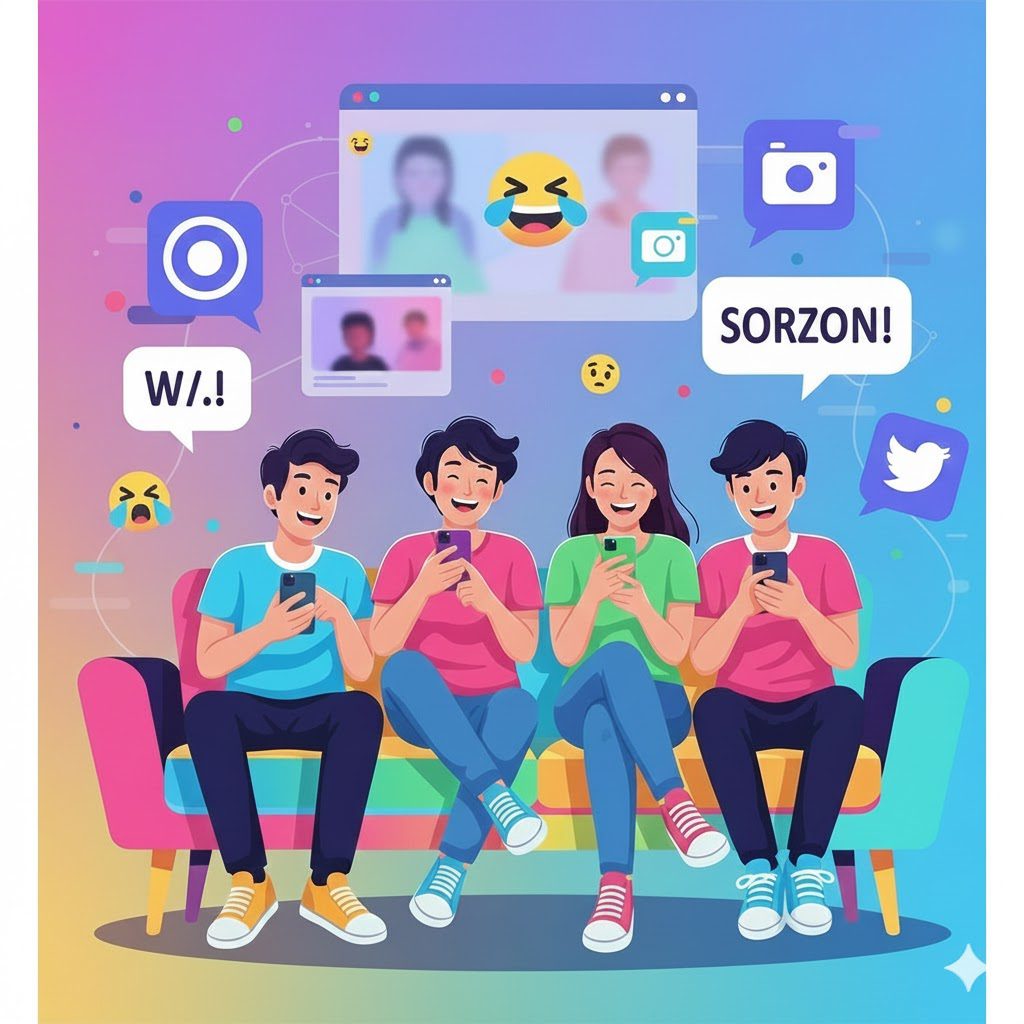
Scroll through TikTok, Instagram, or X for five minutes. You’ll see jokes, remixes, screenshots, and ironic captions flying past at lightning speed. That’s not noise. That’s culture. And right now, how brands are winning Gen Z through meme marketing comes down to one simple idea: brands that feel human earn attention. Gen Z grew up online. Memes aren’t a trend to them. They’re a language. When a brand uses meme marketing well, it doesn’t feel like advertising. It feels like participation. That difference matters in an attention economy where ads get skipped in seconds. In this guide, you’ll learn why meme marketing works, how top brands do it without sounding cringe, and what most marketers still get wrong. Along the way, we’ll connect psychology, internet culture marketing, and real-world brand memes into one practical playbook. Why Meme Marketing Fits Gen Z Like a Glove Gen Z doesn’t separate “online” from “real life.” Their humor, identity, and social validation live inside digital spaces. Memes sit right at that intersection. Unlike polished brand ads, memes: reward insider knowledge rely on shared context invite peer-to-peer sharing That’s why humor-based advertising outperforms stiff brand messaging with younger audiences. Memes feel earned. Ads feel forced. At a deeper level, meme marketing taps into participatory culture. Gen Z doesn’t want to watch brands. They want to interact with them. When you post a meme, you’re handing the mic to the community. They remix it, comment on it, and share it as part of their online identity expression. Think of memes as digital shorthand. One image can communicate frustration, excitement, or irony faster than a paragraph ever could. How Brands Are Winning Gen Z Through Meme Marketing on Social Platforms Not all platforms work the same way. Smart brands tailor their social media meme marketing to fit the native culture of each channel. Platform-native humor matters Gen Z can smell recycled content instantly. Posting the same meme everywhere rarely works. Here’s how strong brands adapt: TikTok meme trends rely on audio, facial reactions, and fast timing. Brands jump in quickly or stay out. Instagram meme pages favor relatability and shareability. Think screenshots and carousel-style jokes. X (Twitter) brand humor thrives on wit, timing, and replies. Short, sharp jokes win here. Reddit meme communities reward authenticity. Corporate polish gets punished. YouTube Shorts meme content blends humor with visual storytelling in under 60 seconds. Snapchat Gen Z engagement leans toward casual, behind-the-scenes humor. Winning brands don’t force memes into platforms. They let platforms shape the meme. How Brands Are Winning Gen Z Through Meme Marketing Without Sounding Fake Here’s the hard truth. Most brands fail at meme marketing because they try too hard. Authenticity and brand voice sit at the center of success. Gen Z doesn’t expect brands to be perfect. They expect them to be self-aware. Strong internet culture marketing follows a few unspoken rules: Don’t explain the joke. Don’t jump on sensitive topics for attention. Don’t pretend to be “one of the kids.” Duolingo meme marketing works because the brand embraced absurdity and leaned into its mascot. Wendy’s Twitter strategy succeeds because the voice stays consistent and playful. Ryanair social media memes work because they exaggerate their flaws instead of hiding them. Each brand chose a lane. Then they stayed in it. The Psychology Behind Why Meme Marketing Works for Gen Z Memes succeed because they align with how Gen Z processes content. Short attention spans need fast rewards Gen Z scrolls fast. Memes deliver instant payoff. One glance. One laugh. Done. Humor creates emotional connection Humor lowers resistance. When people laugh, they listen. That emotional connection with audiences makes brand messages feel lighter and more memorable. Social validation drives sharing Sharing a meme signals identity. It says, “This is me.” That’s powerful. Peer-to-peer sharing does more than any paid placement. Cultural relevance builds trust Trend-driven content shows awareness. It tells your audience you’re paying attention. That alone builds credibility. In simple terms, memes work because they respect the audience’s intelligence. Meme Marketing Examples for Brands That Get It Right Let’s break down a few standout approaches without repeating case-study clichés. Netflix meme campaigns Netflix uses screenshots from its own shows. That keeps content platform-native and rights-safe. The humor feels observational, not promotional. Spotify Wrapped memes Spotify turns user data into shareable stories. That’s user-generated content (UGC) at scale. People do the marketing for them. Ryanair social media memes Ryanair leans into irony and self-deprecation. Instead of hiding complaints, they joke about them. That honesty feels refreshing. Duolingo meme marketing The owl breaks the fourth wall. Sometimes it’s helpful. Sometimes it’s chaotic. Either way, people talk about it. Notice the pattern. These brands don’t chase every trend. They remix culture through their own lens. How Brands Are Winning Gen Z Through Meme Marketing Using Community Power Memes don’t live in isolation. They live in communities. Online community marketing plays a massive role in Gen Z engagement through memes. The best brands don’t just post. They respond. They stitch. They reply. This creator-led brand communication turns audiences into collaborators. Ways brands invite participation: Replying with memes instead of corporate statements Encouraging remix culture Featuring fan-created memes Letting creators speak in their own voice When the community feels seen, loyalty follows. Risks of Meme Marketing Most Brands Ignore Meme marketing isn’t risk-free. And pretending otherwise leads to public embarrassment. Timing is unforgiving Ephemeral meme trends die fast. Posting late feels out of touch. Cultural context matters A joke in one community can offend another. Internet humor and irony require care. Brand safety still counts Not every meme fits every brand. Humor should punch up, not down. Over-automation kills soul AI-generated memes can help with ideas. They shouldn’t replace human judgment. Smart brands build guardrails. They know when to join in and when to stay quiet. Best Platforms for Meme Marketing in 2025 and Beyond Youth marketing trends point toward faster cycles and niche communities. Here’s what’s shaping the future: Smaller, niche meme communities outperform mass appeal Real-time marketing
The Rise of Short-Form Video Platforms: TikTok, Reels, and Beyond
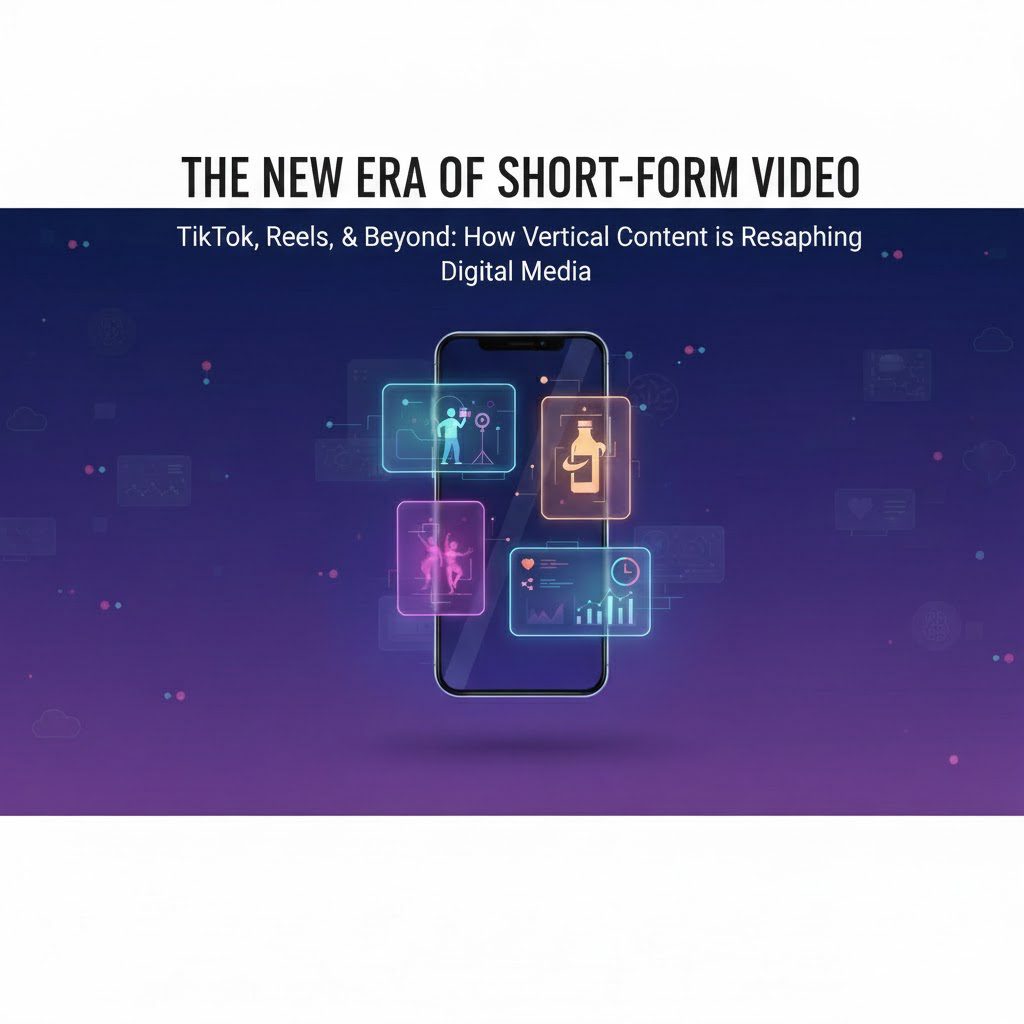
Introduction: Short Videos Didn’t Just Go Viral — They Changed Behavior Pull out your phone. Open a social app. You’re instantly greeted by a vertical video playing without permission. That moment captures the rise of short form video platforms TikTok Reels and beyond in action. Short videos didn’t quietly enter social media. They stormed it. They changed how platforms rank content, how creators grow audiences, and how brands sell products. More importantly, they reshaped how you consume information. This isn’t about trends anymore. It’s about behavior. Mobile-first habits. Scroll-based consumption. Algorithm-driven discovery that feels almost psychic. Let’s explore how short-form video platforms reached this point, why they work so well, and what comes next. The Rise of Short Form Video Platforms TikTok Reels and Beyond: How It All Started Social media once rewarded patience. Long captions. Blog links. Ten-minute videos. Then smartphones took over daily life. As mobile use increased, platforms faced a problem. People wanted content faster. Shorter. Easier to digest. That pressure created short video apps designed for: Vertical video format One-handed scrolling Immediate emotional payoff TikTok accelerated this shift. Instagram Reels and YouTube Shorts followed quickly. The rest of the industry had no choice but to adapt. Why Short-Form Video Platforms Match Modern Attention The attention economy favors speed Your attention is limited. Platforms compete for it aggressively. Short-form video content wins because it delivers value fast. A study from the American Psychological Association notes that frequent digital multitasking reduces sustained attention. Short videos fit this reality instead of fighting it.Source: https://www.apa.org/monitor/2019/01/attention Snackable video content feels effortless You don’t plan to watch short videos. You fall into them. That’s the magic. One swipe equals one idea. No commitment. No decision fatigue. Just flow. Think of it like grazing instead of sitting down for a full meal. Algorithm-Driven Content Discovery Changed the Rules From followers to behavior Modern social media video platforms care less about who you follow and more about how you behave. They track: Watch time Replays Shares Scroll speed Those signals feed AI-powered recommendations that personalize every feed. MIT Technology Review explains how recommendation systems increasingly shape online behavior by predicting engagement patterns. Why creators benefit You don’t need fame. You need relevance. A new creator with one strong clip can outperform established accounts. That shift powered the modern creator economy. At SalesBouncer, we don’t just edit videos. We engineer them to capture attention, hold interest, and drive action. In a world where people scroll fast and decide faster, your video has seconds to perform. That’s where we come in. We specialize in high-impact video editing designed for short-form platforms, ads, and social media marketing—where results actually matter. The Rise of Short Form Video Platforms TikTok Reels and Beyond: Platform Breakdown TikTok: The Engine of Viral Video Platforms TikTok operates as an entertainment-first platform. Social connections come second. Strengths include: Advanced content personalization Powerful in-app editing tools Trending audio and sounds that fuel discovery Hashtag-based discovery layered on AI signals According to DataReportal, TikTok users spend an average of 34 hours per month on the app, one of the highest engagement rates in social media. That time-on-platform explains why brands invest heavily in TikTok-first campaigns. Instagram Reels vs TikTok: Strategic Differences Instagram Reels plays a different role inside Meta Platforms’ ecosystem. Instagram Reels advantages Deep integration with Facebook and Instagram ads Strong social commerce features Familiar environment for brands TikTok advantages Faster trend cycles Better organic reach for unknown creators More experimental content culture For polished brand storytelling, Reels often wins. For raw, culture-driven growth, TikTok still leads. YouTube Shorts Growth: Discovery Meets Search Intent YouTube Shorts benefits from something unique: search behavior. Shorts live inside Google’s ecosystem, which means content can surface through recommendations and search results. According to Statista, YouTube reached over 2.7 billion monthly active users globally, giving Shorts massive distribution potential. Creators also gain long-term value by funneling Shorts viewers into long-form content. Other Short-Form Video Platforms Worth Watching Beyond the big three, several mobile-first video platforms continue to evolve. Snapchat Spotlight: Strong for Gen Z and real-time engagement Facebook Reels: Effective for mass-market reach Likee: Popular in South Asia and parts of Europe Triller: Music-focused with creator monetization tools Not every platform will dominate globally. But regional growth matters for brands with international audiences. Why Short-Form Video Marketing Works for Businesses Engagement beats impressions Short videos optimize for engagement metrics like watch time and shares. That matters more than raw views. A report from HubSpot shows video content generates higher ROI than static formats across most industries. Influencer marketing feels native Influencer marketing thrives on short videos because they feel personal. Instead of scripted ads, creators show products in real life. That authenticity builds trust. Social Commerce and Brand Collaborations Short-form platforms collapse the funnel. You discover a product. You see it used. You buy it. All inside one app. This shift powers: Social commerce Creator monetization Performance marketing McKinsey highlights social commerce as one of the fastest-growing digital sales channels globally. Short Video Content Trends Shaping 2025 and Beyond AI-generated short videos AI now assists with captions, edits, and even full video creation. That lowers barriers and increases volume. Interactive video features Polls, Q&A stickers, and tap-based choices boost real-time engagement. Immersive video experiences AR effects and interactive overlays expand digital storytelling beyond flat screens. Platform algorithm changes Completion rate and retention now matter more than hashtags alone. Quality wins. The Rise of Short Form Video Platforms TikTok Reels and Beyond: What Others Miss Most articles chase virality tips. They miss the bigger picture. Short-form video platforms succeed because they align with: Mobile user behavior Scroll-based consumption The psychology of the attention economy This isn’t a content trend. It’s a behavioral shift. How Brands Can Win With Short-Form Video Content A strong content marketing strategy focuses on clarity and speed. Best practices: Hook viewers in the first 2 seconds Focus on one idea per video Design for vertical video platforms Track watch time, not vanity metrics Repurpose UGC
SEO or PPC? How to Choose the Right Strategy in 2026
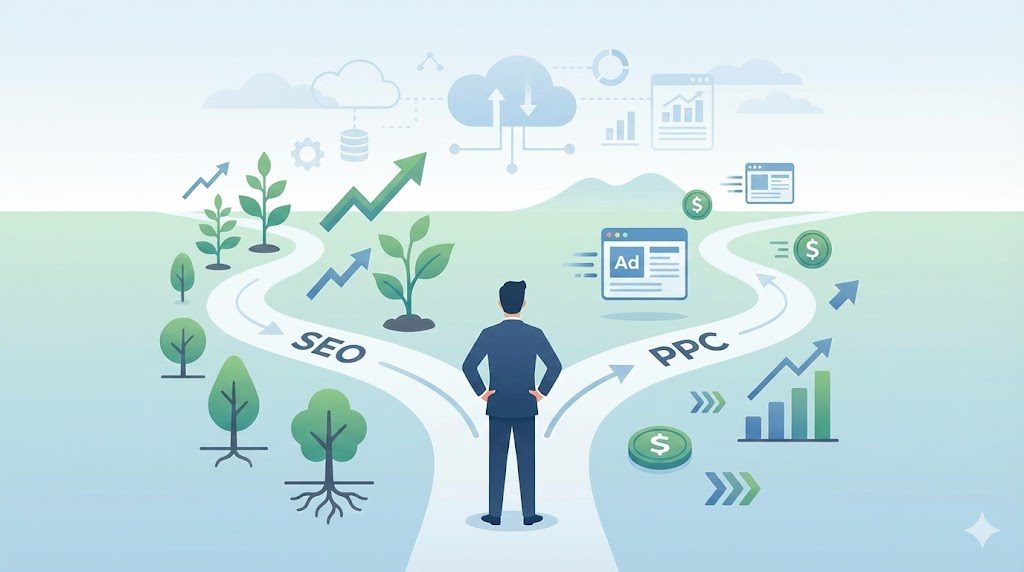
If you’re growing a business online, one question always shows up sooner or later: how to choose between SEO and PPC.Both promise traffic. Both can bring leads. And both can quietly drain your budget if you pick the wrong one at the wrong time. Think of this decision like choosing transportation. SEO is walking toward a destination that keeps getting closer. PPC is grabbing a taxi that gets you there fast. Neither is wrong. The problem starts when you choose speed when you need endurance—or patience when you need urgency. This guide breaks it all down in plain language. You’ll learn how each channel works, where competitors go wrong, and how to decide based on goals, timelines, and budget—not guesswork. Understanding SEO and PPC Before You Choose Before comparing tactics, you need clarity. Many businesses struggle because they treat SEO and PPC as interchangeable. They aren’t. What SEO Really Does for Your Business SEO helps your website appear in organic search results when people look for answers, services, or products. Instead of paying for every click, you earn visibility by proving relevance and credibility over time. Good SEO focuses on: Creating helpful, search-driven content Improving site speed and usability Earning trust through links and brand mentions Over time, SEO turns your website into a digital asset. Traffic keeps coming even when campaigns pause. According to Backlinko, the first organic Google result gets nearly 28% of all clicks, showing how powerful top rankings can be. What PPC Actually Brings to the Table PPC advertising places your message in front of users instantly. You pay when someone clicks. That’s the deal. This model shines when: You need traffic right now You’re launching something new You want tight control over targeting However, the moment spending stops, visibility disappears. PPC is more like renting attention than owning it. Average Google Ads cost per click sits around $2–$3, although competitive industries often pay much more. How to Choose Between SEO and PPC Based on Your Goals Many guides oversimplify this choice. They say “SEO is long term” and “PPC is fast.” That’s true—but incomplete. Let’s go deeper. Choose SEO If You’re Playing the Long Game SEO works best when: You want sustainable growth Your audience researches before buying You’re building brand authority For example, a consultant writing helpful guides builds trust slowly. Over time, those articles attract qualified leads without constant ad spend. SEO compounds. Each strong page supports the next. Choose PPC If Timing Is Everything PPC makes sense when: You need leads immediately You’re running limited-time offers Demand spikes seasonally An ecommerce store clearing inventory doesn’t have months to wait. Ads let them move fast. Speed has a price, though. Without careful targeting, costs climb quickly. Budget Reality Check: What Most Competitors Get Wrong Here’s what many articles don’t tell you. Most businesses fail not because SEO or PPC doesn’t work—but because they misalign budget with expectations. SEO Costs What You Don’t See SEO rarely charges per click. However, it still costs money: Content creation Technical fixes Tools and expertise The payoff arrives later, but it’s often stronger. PPC Costs What You Feel Immediately With PPC, spending is obvious. Every click shows up in reports. That visibility is useful, but it also creates pressure. When results slow down, budgets often rise to compensate. This is where many competitors panic and overspend. Traffic Quality: Not All Clicks Are Equal Traffic volume means nothing without intent. SEO Traffic and User Trust People trust organic results more than ads. They see them as earned, not bought. That trust matters. Research from Smart Insights shows organic search drives over half of all website traffic, while paid search contributes far less.https://www.smartinsights.com/search-engine-marketing/seo-statistics/ SEO visitors often: Spend more time on site Explore multiple pages Convert after repeated exposure PPC Traffic and Buying Intent PPC attracts users ready to act. Someone searching “buy CRM software today” likely wants solutions now. That urgency explains why PPC often converts faster—even if fewer people click overall. Conversion Rates: Short-Term Wins vs Long-Term ROI Conversion rate depends on industry, intent, and experience. Still, patterns emerge. PPC Conversions Happen Faster Ads work well for: Product launches Emergency services High-intent searches However, cost per conversion rises in competitive markets. SEO Conversions Grow Over Time SEO conversions start slower. Yet as authority builds, conversion rates often improve. A study by First Page Sage shows SEO outperforms PPC in conversion rates across many industries over time. Longevity: Which Channel Keeps Paying You Back? This question alone answers how to choose between SEO and PPC for many businesses. SEO Builds Durable Assets Once a page ranks, it can generate traffic for years with updates and maintenance. That’s leverage. PPC Stops the Moment You Stop Paying No budget means no traffic. Simple as that. PPC is powerful—but temporary. The Smarter Strategy Most Competitors Miss: Using Both Together Here’s where this article delivers extra value. Many competitors frame SEO and PPC as rivals. Smart marketers treat them as teammates. How PPC Improves SEO Reveals high-converting keywords Tests messaging before content creation Identifies audience pain points How SEO Reduces PPC Costs Improves landing page quality scores Builds brand familiarity Lowers dependency on paid traffic Together, they create balance. Speed plus sustainability. Decision Framework: How to Choose Between SEO and PPC Step by Step Use this simple checklist: Timeline: Do you need results now or later? Budget: Can you afford ongoing ad spend? Competition: How crowded is your market? Customer journey: Do buyers research or buy fast? Growth goals: Short-term sales or long-term authority? Your answers guide the choice. Common Myths That Confuse the Decision “SEO Is Free” It isn’t. It’s an investment. “PPC Is Only for Big Companies” Small businesses use PPC every day—carefully. “You Must Pick One” You don’t. FAQs About Choosing SEO and PPC How to choose between SEO and PPC for a small business? Start with SEO if budgets are tight and timelines are flexible. Add PPC for quick wins once messaging is clear. Is SEO or paid search
Google Maps Alternatives in 2026: Better Privacy, Offline Maps, and Smarter Features
You probably open Google Maps without thinking. New coffee shop. A friend’s apartment. A quick weekend drive. Tap, go, done. Still, Google Maps alternatives matter when your needs shift. Maybe you travel where the signal drops. Maybe you want a cleaner map that doesn’t feel noisy. Or maybe you just like having a solid Plan B. Let’s break down the best options and help you pick the right one. Why People Switch to Other Map Apps Privacy: When location tracking feels a bit too personal Location history can reveal more than you expect. Your routines. Your hangouts. Even the places you visit often. Some apps keep things lighter by limiting tracking or doing more processing on your device. Others lean harder on personalization, which can mean more data collection. If privacy matters to you, it helps to know what trade-off you’re making. Offline navigation: When your signal disappears at the worst time If you’ve ever watched your map load forever in a new neighborhood, you know how stressful that is. Offline maps fix it. Download an area ahead of time, then navigate without Wi-Fi, mobile data, or roaming charges. Specialized tools: Because one app can’t do everything A hiker needs trail layers and elevation. A truck driver needs vehicle-friendly routing. A commuter wants transit timing. And sometimes you just want a simple map that gets you there without extra clutter. Avoiding single-app dependence Apps change features. Policies shift. Outages happen. When you keep another option installed, you don’t get stuck. Quick Pick Guide: Choose the Right App Fast Here’s a simple cheat sheet to match apps to real-life situations: Offline travel: MAPS.ME, HERE WeGo, Sygic, OsmAnd Live traffic alerts: Waze Outdoor adventure: OsmAnd, Gaia GPS Public transit: Citymapper Clean pro driving: TomTom GO Top 10 Map Apps You Can Use in 2026 1. MAPS.ME (Best for offline travel) MAPS.ME is a popular choice when you want to download maps once and use them anywhere. It’s especially handy if you travel internationally and don’t want to rely on roaming data. Good for: travelers, backpackersAvailable on: iOS, Android Key features Offline maps for large regions Helpful points of interest for sightseeing Walking directions in many cities 2. HERE WeGo (Best for city navigation) If you bounce between walking, transit, and driving, HERE WeGo usually feels like a strong all-rounder. It’s designed for city movement and quick route switching. Good for: commuters, city travelersAvailable on: iOS, Android Key features Offline map downloads in many regions Clear walking guidance Transit routing in supported cities 3. Waze (Best for real-time road alerts) Waze works like a driver community. People report hazards, congestion, and slowdowns, then the app helps you reroute quickly. Good for: daily drivers, commutersAvailable on: iOS, Android Key features Live incident reports and reroutes Traffic-aware route suggestions Alerts for hazards and road issues 4. MapQuest (Classic and straightforward) MapQuest keeps things simple. If you want a familiar navigation experience without extra bells and whistles, it still holds up. Good for: everyday navigationAvailable on: iOS, Android Key features Turn-by-turn directions Route planning for road trips Traffic overlays in many areas 5. OsmAnd (Best for detailed offline maps) OsmAnd is a favorite for people who like detail. It’s great when you care about terrain, elevation, and outdoor-friendly routes. Good for: hikers, cyclists, off-road exploringAvailable on: iOS, Android Key features Offline vector maps Terrain and contour options Hiking and cycling routes with elevation data 6. CoPilot GPS (Best for vehicle-specific routing) CoPilot GPS focuses on drivers who need practical routing tools. It’s often used by people who travel long distances or drive larger vehicles. Good for: truckers, RV drivers, business travelAvailable on: iOS, Android Key features Offline navigation and turn guidance Vehicle-based route customization Route optimization for longer trips 7. Apple Maps (Best for iPhone users) Apple Maps is built into iOS, so it feels smooth and well-integrated. It’s especially nice for walking directions, Siri help, and day-to-day city navigation. Good for: iPhone usersAvailable on: iOS Key features Siri voice navigation Transit updates in supported regions Walking and cycling routing 8. Sygic GPS Navigation (Best premium driving features) Sygic leans into a polished driving experience. If you like 3D maps and extra safety tools, it can feel like an upgrade. Good for: frequent driversAvailable on: iOS, Android Key features Offline navigation Multi-stop trip planning Driver assistance and alerts 9. TomTom GO Navigation (Best for accuracy) TomTom GO is a strong pick when you want clear lane guidance and a distraction-free interface. It often appeals to drivers who prioritize precision. Good for: drivers who want clean, accurate routingAvailable on: iOS, Android Key features Lane guidance to reduce missed turns Traffic updates and route adjustments Regular map refreshes 10. Citymapper (Best for public transit) Citymapper shines in big cities. It helps you combine trains, buses, walking, and bikes without doing mental math at every transfer. Good for: transit users, urban travelersAvailable on: iOS, Android Key features Multi-modal trip planning Real-time transit updates in supported areas Step-by-step guidance during your trip Bonus Apps Worth Trying OpenStreetMap (OSM) OpenStreetMap isn’t one app. It’s a community-built map platform that powers many navigation tools. If you like open data and customization, it’s a great ecosystem to explore. Gaia GPS Gaia GPS is built for outdoor planning and backcountry navigation. It’s ideal when you want topo layers, trail planning, and offline reliability. How to Choose the Right App (Without Overthinking It) Think of it like shoes. You don’t wear hiking boots to a wedding. Same deal here. Want offline travel maps? Start with MAPS.ME or HERE WeGo. Need outdoor detail? Try OsmAnd or Gaia GPS. Drive in traffic daily? Waze usually wins for live alerts. Use transit all the time? Citymapper makes city travel easier. Prefer iPhone simplicity? Apple Maps fits naturally. Also, consider keeping two apps. One for everyday use, one for backup. That small habit can save you a lot of stress. FAQs What are the best Google Maps alternatives for offline travel? MAPS.ME, HERE WeGo, Sygic, and OsmAnd are
The Beginner’s Guide to Programmatic Advertising
A friendly, practical roadmap that helps beginners understand programmatic advertising, how it works, and how to use it to boost ROI. Programmatic advertising has reshaped digital marketing so quickly that many beginners feel like they’re watching a game in fast-forward. One moment you’re manually placing ads on publishers, and the next you’re learning how algorithms, data signals, and real-time bidding decide everything in milliseconds. This beginner’s guide to programmatic advertising breaks each moving part into simple, understandable ideas so you can use automation confidently instead of feeling overwhelmed by it. Whether you’re running display ads, testing new video formats, or aiming to boost brand awareness, programmatic media buying offers a smarter, faster path to reaching your audience. What Is Programmatic Advertising? (Programmatic Advertising Explained for Beginners) A simple definition you can actually use Programmatic advertising is the automated buying and selling of online ad space using software, data, and machine learning. Instead of negotiating placements manually, programmatic platforms evaluate individual impressions and decide the best ad to show at the perfect moment. The system analyzes data signals—behavior, location, context, device type—and uses digital advertising automation to place ads where they’re most likely to perform well. In simple terms, programmatic advertising explained:It’s a smarter, faster way to buy digital ads using automation instead of guesswork. Why programmatic is replacing traditional ad buying Traditional ad buying relies on insertion orders, emails, long back-and-forth negotiations, and fixed placements. Programmatic eliminates the slow parts and replaces them with automated decision-making. Real-time bidding (RTB) evaluates each impression instantly, so your budget flows toward high-quality traffic instead of wasted impressions. This shift improves CPM efficiency, increases click-through rates, and delivers better conversion tracking because your ads land in front of people who actually care. How programmatic advertising fits into modern PPC and digital marketing PPC campaigns target people searching for something. Programmatic campaigns target people based on intent signals long before they type into a search bar. That’s why many marketers blend PPC with programmatic to create a full-funnel strategy. Programmatic display ads support awareness, retargeting handles mid-funnel engagement, and automated ad buying keeps every campaign running efficiently across apps, websites, CTV ads, and native placements. Real-world examples that make the concept click Imagine selling running shoes. With traditional ads, you’d choose a few websites and hope for the best. With programmatic, algorithms find users reading fitness blogs, watching marathon videos, comparing shoes, or browsing sports stores—all in real time. You reach them while interest is fresh, which dramatically improves response. How Programmatic Advertising Works Behind the Scenes The real-time bidding (RTB) auction process explained step-by-step RTB works like the world’s fastest auction. When a webpage loads, an ad request travels through a supply-side platform (SSP) into an ad exchange, where demand-side platforms (DSPs) bid for the impression. The highest bidder wi, ns and the ad appears instantly. It takes less time than blinking. How algorithms, machine learning, and automation make smarter buying decisions Machine learning in advertising analyzes thousands of signals—past browsing, location, content relevance, device type, and predicted intent. It learns from performance, reallocates budget automatically, and improves your programmatic ad strategy without constant manual tweaks. Every impression makes the system smarter. The relationship between advertisers, publishers, DSPs, SSPs, and ad exchanges Advertisers use DSPs to run campaigns. Publishers use SSPs to sell inventory. Ad exchanges connect both sides. DMPs and CDPs enrich audience data while ad servers deliver and track impressions. Together, they form an automated ecosystem that keeps programmatic campaigns efficient and scalable. Why Programmatic Advertising Matters (Especially for Beginners) Hyper-targeting that reaches the right people at the right moment Programmatic targeting options include behavioral targeting, contextual targeting, geo-fenced targeting, and retargeting with programmatic ads. Instead of showing ads to everyone, you reach users most likely to engage, which boosts CTR and increases conversions with less waste. Higher efficiency and lower wasted ad spend Since programmatic evaluates impressions individually, your budget goes toward relevant audiences. Algorithms automatically eliminate low-value placements, optimize CPMs, and move spending toward high-performing traffic without you micromanaging the campaign. Better personalization across devices and channels Users bounce between phones, laptops, smart TVs, and apps all day. Programmatic follows these journeys and delivers consistent messaging. Whether it’s programmatic video ads, mobile programmatic advertising, audio ads, or display formats, personalization stays intact. How AI is transforming programmatic campaigns AI powers dynamic creative optimization, predictive targeting, fraud detection, and cookieless identity solutions. It’s redesigning how advertisers approach segmentation and measurement, which makes programmatic advertising for beginners far easier than it was five years ago. Core Components of Programmatic Advertising (DSPs, SSPs, DMPs & More) Demand-side platforms (DSPs): how advertisers buy smarter DSPs let advertisers set budgets, targeting rules, and bidding strategies while algorithms handle the rest. They’re the command center of programmatic media buying. Supply-side platforms (SSPs): how publishers maximize revenue Publishers use SSPs to sell ad inventory efficiently. SSPs expose impressions to multiple bidders, increasing revenue opportunities. Ad exchanges: the marketplace where everything happens Ad exchanges connect DSPs and SS, Ps, allowing them to trade impressions in real time. It’s a digital marketplace running millions of auctions every second. Data management platforms (DMPs): where targeting becomes powerful DMPs collect and organize user data, which fuels behavioral targeting and advanced segmentation. Customer data platforms (CDPs): the next evolution CDPs unify first-party data across channels, enabling deeper personalization and stronger lookalike modeling. Ad networks vs ad exchanges: clearing up the confusion Ad networks bundle inventory and resell it, which limits flexibility. Programmatic exchanges evaluate every impression individually, which improves accuracy. Ad servers: the delivery engine no one sees Ad servers store, deliver, and track ads across placements, ensuring accurate reporting and viewability. Types of Programmatic Advertising Every Beginner Should Know Real-time bidding (RTB) Open auctions with dynamic bidding. Private marketplaces (PMPs) Invite-only auctions offering premium placements. Programmatic direct / guaranteed Fixed deals with guaranteed inventory. Programmatic display ads Standard banners across websites and apps. Programmatic video ads Short- and long-form videos across streaming platforms. Programmatic audio ads Spoken ads on podcasts
The Complete Guide to Graphic Design Services
Graphic design services play a crucial role in shaping how businesses communicate visually. From logos and brand identities to websites, packaging, and motion graphics — design influences perception, trust, and user experience. This complete guide explains what graphic design services are, their types, how to choose the right provider, common mistakes, and practical tips to get started. What Are Graphic Designing Services? Definition and Scope Graphic design services involve planning and producing visual content that communicates ideas effectively. These services include everything from logo creation and brand identity systems to marketing materials, web graphics, social media visuals, infographics, product packaging, and publication design. Graphic design itself is recognized as the art of crafting visual communication aimed at specific audiences. It combines creativity, strategy, color theory, typography, layout principles, and psychology to create visuals that inform, persuade, or inspire. Why Businesses Need Graphic Design Services Modern businesses rely heavily on visual communication. Studies show that A majority of companies are increasing their investment in design to stay competitive. Design-driven companies see significantly higher ROI than those that do not prioritize design. Good design enhances credibility, strengthens brand identity, improves user experience, and ensures clearer communication. It builds trust and helps businesses stand out in crowded markets. Types of Graphic Designing Services Graphic design covers a wide range of specialties. Here are the most important types Branding & Identity Design Branding is the foundation of all visual communication. Branding services typically include Logo design Brand style guides Typography systems Color palettes Visual identity systems These elements create a consistent, recognizable image for a company across all platforms. Digital & Web Design Services Digital design includes all graphics created for online use Website UI/UX design App interface design Landing page graphics Digital advertisements Email newsletter designs Multimedia content Modern digital design focuses heavily on improving user experience and visual functionality. Print & Publication Design Print design covers physical marketing and informational materials, such as Brochures Flyers Business cards Magazines Annual reports Catalogs Posters These materials require strong layout skills, typography choices, and a deep understanding of print production. Packaging & Product Graphics Packaging design includes Product labels Box designs Wrappers Containers Retail-ready packaging Unboxing design elements Effective packaging attracts attention, communicates product value, and strengthens brand identity on shelves. Motion Graphics & Animation Motion-based design includes Animated ads Explainer animations Logo animations Title sequences Social media motion graphics Motion graphics are highly effective in boosting engagement across digital platforms. Environmental & Signage Design Environmental graphic design involves visuals created for physical spaces, such as Wayfinding systems Event and exhibition graphics Muralss Signage Spatial graphics These designs help guide people, enhance spaces, and improve brand presence in physical locations. Additional & Niche Services Other common design services include Social media content design Infographics Icon sets Presentation design Display and banner ads Internal document design Illustration services These support everyday business communication needs. How to Choose the Right Graphic Designing Service Freelancer vs Agency vs In-House Here’s when each option makes sense Freelancer Best for small, one-off tasks Lower budget requirements Flexible timelines Agency Ideal for large or ongoing projects Provides a full team with diverse specialties Suitable for complete branding and marketing solutions In-House Designer Best for businesses with constant design needs Ensures brand consistency Offers long-term availability and collaboration Key Criteria to Evaluate Designers When selecting a design provider, consider Quality of portfolio Experience in your industry Pricing model and transparency Clarity of the process (briefing, revisions, timelines) Ability to maintain consistency across all visual elements Communication style and client support Pricing Models & Subscriptions Graphic design pricing varies based on provider type Project-based pricing for individual tasks Hourly rates for time-bound work Monthly retainers for ongoing needs Unlimited design subscriptions, where businesses submit unlimited requests for a fixed monthly fee These newer subscription models offer predictable costs and faster turnaround. Benefits of Using Professional Graphic Design Services Professional graphic design offers businesses several major advantages Enhanced brand recognition through consistent visuals Clearer communication with customers Better user experience, especially in digital spaces Higher credibility and perceived professionalism Competitive differentiation in saturated markets Higher ROI for companies that prioritize visual design Strong design is not just aesthetic — it’s a business strategy. Common Mistakes & Pitfalls to Avoid Inconsistent Branding Using mismatched colors, fonts, or styles weakens brand identity. Hiring Non-Specialized Designers Choosing designers without relevant experience can lead to ineffective visuals and rework. Unclear Briefing A vague or incomplete design brief leads to wrong concepts and wasted time. Ignoring UX for Digital Designs A visually attractive design with poor usability fails to deliver results. Choosing Based Solely on Price Extremely low-cost designers often compromise on skill, quality, or originality. FAQs & Practical Tips for Getting Started What Services Should I Start With? Most businesses begin with A logo Brand identity kit Website design Social media templates How Much Do Graphic Designing Services Cost? Costs depend on complexity, designer experience, design type, and timeline. Agencies typically charge more than freelancers due to team support and a deeper strategy. How Long Does Graphic Design Take? Timelines depend on project scope, revisions, and coordination. Simple tasks like social media posts may take hours, whereas branding projects or websites may take weeks. Red Flags When Hiring a Designer Avoid designers who Cannot provide a portfolio Offer unclear revision policies. Provide suspiciously low pricing.g Have inconsistent communication What Trends Are Emerging in Graphic Design? AI-driven design tools, automated workflows, and intelligent creative assistants are becoming more common. These technologies help speed up production and expand creative possibilities for designers. Conclusion Graphic design services are essential for building a memorable brand, communicating clearly, and achieving business growth. Whether you need branding, digital design, packaging, or motion graphics, choosing the right design partner can elevate your presence and give you a competitive edge. With strategic design, businesses gain consistency, clarity, and long-term value.
Is Video Editing Still in Demand? Job Trends for 2025 (Complete Guide)
If you’re wondering whether video editing is still a safe career bet in 2025, you’re not alone. AI tools are everywhere, short-form content is dominating feeds, and everyone seems to be “editing” something on their phone. It’s easy to worry that the profession is becoming overcrowded or automated. The good news: the data shows video editing is still in demand in 2025 – but the type of editor who wins today looks very different from ten years ago. This guide walks you through real numbers, trends, and skills so you can decide whether to start (or double down on) a career in video editing. What The Job Market for Video Editors Looks Like in 2025 Official job outlook for film and video editors Let’s start with hard numbers. According to the U.S. Bureau of Labor Statistics, employment for film and video editors and camera operators is projected to grow by about 3% from 2024 to 2034, roughly in line with the average across all occupations. The same projections estimate around 6,400 job openings each year on average over that decade, from both new roles and replacements. The median annual wage for film and video editors in May 2024 was $70,980, which is higher than the median wage for all occupations. Globally, the wider entertainment and media industry is projected to reach around $3.5 trillion in revenue by 2029, with digital and video-heavy advertising driving significant growth. Taken together, this data shows that video editing hasn’t disappeared or collapsed. It has settled into a steady, sustainable growth path, while the broader content and media ecosystem around it keeps expanding. Global demand for video content is still exploding It’s not enough to know there are editing jobs; you also want to know whether people still need video in the first place. The answer is an overwhelming yes. Multiple surveys show that around 89–91% of businesses use video as a marketing tool, and most marketers consider video essential to their overall strategy. Recent 2025 reports also highlight that about 93% of marketers report positive ROI from video marketing, the highest level recorded so far. On the consumption side, video is deeply tied to mobile. Several industry summaries now converge on the same pattern: roughly three-quarters of global video views happen on mobile devices, and video makes up a significant share of smartphone data traffic. Short-form and social video add another twist. Forecasts suggest that short-form video could account for up to 90% of mobile video views by the end of 2025, driven by platforms like TikTok, Instagram Reels, YouTube Shorts, and similar formats. All of this is great news for editors who understand marketing, mobile-first viewing, and social platforms. The more video dominates how businesses communicate and how people consume content, the more editing work exists in the system. How Much Do Video Editors Earn in 2025? Typical salaries for employed video editors The BLS data gives a clear baseline for editors working in film, TV, streaming, and related sectors. For film and video editors, the median annual wage in May 2024 was $70,980. Other salary trackers show similar patterns: average annual salaries typically fall in the mid–$50,000s to low–$70,000s in the US, with higher ceilings at major media and tech companies. This means: Entry-level in-house roles can feel modest but offer stability. Mid-level editors often move into specialized roles or higher-paying industries like streaming, advertising, or tech. Senior editors, lead editors, and post-production supervisors can earn high-five-figure or low-six-figure incomes. Freelance and remote video editor rates in 2025 Freelance editing has grown massively with remote work and creator-driven platforms. Current data shows: On major freelance platforms, the median hourly rate for video editors is around $35, with a typical range between $10 and $60. Freelance editors can earn $25 to $150 per hour depending on their skill level, niche, and complexity of projects. In the UK, average freelance annual income falls around £30,000–£39,000, with hourly earnings ranging between £14 and £19. These numbers show that freelance video editors in 2025 have a wide earning spectrum. At the lower end, you might compete on price for simpler social edits; at the higher end, premium rates come from complex storytelling, brand work, or fast-turnaround commercial projects. The Video Editing Software Market: A Signal of Future Demand Another way to gauge demand is to look at investment in tools. If software spending rises, it usually means more professionals and businesses are editing more video. Recent reports show: The global video editing software market was valued at roughly $0.60–$0.66 billion in 2024, with expectations to more than double by the early-to-mid 2030s. Broader studies place the segment at around $3.55 billion in 2024 and forecast growth to nearly $6.8 billion by 2033. Across the board, the market is expected to grow at high single-digit rates annually. Even though dollar values differ depending on definitions, all studies agree: demand for editing tools is rising. Rising software investment tells you that: More businesses are building in-house content teams. More creators are producing content at scale. More non-professionals are attempting to edit, which increases demand for experts when quality matters. Will AI Kill Video Editing Jobs – Or Create New Ones? What AI is already automating in 2025 AI is embedded in many editing tools now. Articles explain how AI handles auto-cutting, transcription, captioning, basic color and audio cleanup, and simple social-media repurposing. These tools are framed as productivity boosters, not full replacements. Advertiser-focused studies show that a large percentage of brands plan to use generative AI in their video ad workflows. In workforce studies, skill requirements in AI-exposed roles are changing much faster than in traditional roles, reinforcing the need for editors to upskill. Why are human editors still needed? Industry commentary repeatedly stresses that storytelling, pacing, emotional nuance, brand consistency, and creative judgment remain human-led. Analysts agree that while AI automates routine assembly, editors who supervise AI, correct errors, and maintain creative direction remain essential. Many workforce studies emphasize that combining creative and AI skills is
4 Great Examples of User-Generated Content (UGC) That Prove Its Marketing Power
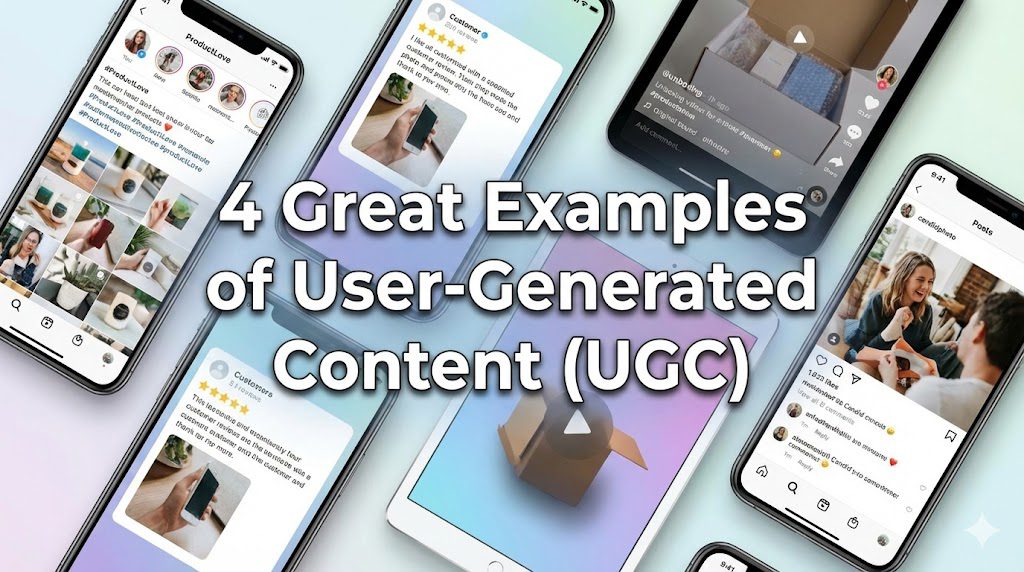
User-generated content marketing has become one of the most reliable ways for brands to build trust, spark engagement, and create communities that feel genuinely connected. When you look at how consumers behave today, one pattern stands out clearly: people trust people more than they trust polished brand ads. That’s exactly why an effective UGC strategy can transform how you communicate, sell, and grow. As you read through these user-generated content case studies, you’ll see how simple ideas turn into massive brand moments when customers get behind them. The beauty of UGC lies in how real it feels, how quickly it spreads, and how deeply it influences buying decisions. What Is User-Generated Content (UGC)? User-generated content refers to any form of authentic content from customers, fans, or community members who share their experience with a product or service. You’ll see it everywhere—customer reviews and testimonials on product pages, TikTok UGC ideas showing everyday people using what they love, Instagram user-generated content with branded hashtags, YouTube UGC campaigns created by adventurers and storytellers, and Facebook customer posts describing real experiences. UGC pops up naturally when people feel compelled to talk about a brand, often because it made their life easier, better, or more entertaining. What is UGC marketing? In simple terms, it’s the practice of using customer content in marketing to tell your story with voices that aren’t your own. Because UGC comes from real people, it creates social proof for marketing in a way that curated brand content never can. When potential buyers see authentic content from customers who look and sound like them, it builds instant credibility and trust—two things every brand needs to grow. Why UGC Matters in Modern Marketing The benefits of user-generated content reach far beyond likes and comments. You’ll often find that UGC drives higher engagement, deeper connections, and stronger brand loyalty than traditional ads. Modern customers care about authenticity, and UGC for brand authenticity delivers exactly that. People want transparency, shared experiences, and glimpses into the lives of those who already know your brand. This fuels community-driven marketing and makes customers feel like they’re part of something bigger. Research repeatedly shows how social media UGC impacts buying decisions. When consumers look for new products, they want to see real results, not staged photoshoots. That’s why embedding UGC on product pages, integrating UGC into email marketing, or repurposing UGC across channels can increase conversions dramatically. Authenticity isn’t just a buzzword—it’s a currency. And UGC is one of the lowest-cost, highest-impact tools you can use to build trust and increase engagement with user content. UGC vs Influencer Marketing: What’s the Difference? Although both UGC and influencer-generated content rely on people outside your company to tell your story, they differ in intent and execution. Influencer marketing usually involves a paid partnership, agreements, content guidelines, and negotiated posting schedules. The content often leans polished because influencers curate their image carefully. UGC, however, is voluntary. It’s organic, spontaneous, and created by customers who genuinely love what you offer. Because of that, users often see it as more trustworthy. This doesn’t mean one strategy is better than the other—they simply play different roles. Brands often combine them for maximum impact. While influencer campaigns can kickstart attention, UGC provides ongoing social proof that strengthens your message long after the sponsored post fades. Types of User-Generated Content (UGC) Every Brand Should Use There are many creative ways to use UGC across your marketing strategy. Each type has its own impact and helps you appeal to different buyer mindsets. Customer Reviews & Testimonials These are the backbone of UGC for e-commerce. When buyers see honest opinions from people like them, hesitation fades. Social Media Posts & Stories Social media UGC is fast-moving, fun, and incredibly persuasive. Hashtag campaigns make it easy to collect and reuse. Community Hashtag Content Branded hashtags on Instagram or TikTok help you gather thousands of posts with minimal effort. Tutorials, How-To Videos & Unboxings People learn from other people. A single YouTube unboxing video can outperform an entire advertising campaign. Employee-Generated Content (EGC) Employees can act as relatable ambassadors who humanize the brand. Case Studies & User Spotlights Sometimes the most powerful story is one told in detail by someone who solved a problem with your product. Forum Discussions & Q&A Threads UGC doesn’t have to be visual—honest conversations also build trust. Podcast Mentions & Live Stream Clips When people talk about you voluntarily, it hits different. Sources of High-Quality UGC Brands Often Overlooked If you want to know the best ways to collect UGC from customers, start by looking at the communities you already have. Many UGC examples come from simple interactions that spark conversations. Customers Sharing Real Experiences Those spontaneous moments—photos, videos, or stories—carry enormous persuasive weight. Employees as Advocates Internal advocates create authenticity and show culture from the inside out. Superfans & Brand Advocates These enthusiastic supporters contribute to customer advocacy strategies naturally. Micro-Communities Niche groups within Reddit, Discord, and Facebook offer some of the richest user discussions. Event Participants & Contest Creators The energy from UGC contest ideas often fuels full campaigns. 4 Great Examples of User-Generated Content (UGC) Used by Top Brands UGC becomes extraordinary when a brand creates space for people to express themselves. Here’s a closer look at four successful UGC brands that turned customer creativity into unforgettable moments. 1. GoPro — Real-Life Action Captured by Everyday Users GoPro is arguably one of the best user-generated content campaigns ever created. The reason is simple: its product inspires people to share moments worth remembering. Adventurers, athletes, travelers, and even curious kids become natural storytellers the moment they pick up a GoPro device. Users upload thousands of GoPro videos every day, many tagged with community hashtags that funnel directly into GoPro’s content ecosystem. This gives the brand endless media to feature on social platforms, YouTube UGC campaigns, or promotional reels. GoPro amplifies this by hosting challenges and awarding creators whose clips stand out. The brand’s UGC strategy thrives because it taps into an emotional
What Are the Most Effective Digital Marketing Strategies?
Digital marketing changes so quickly that even seasoned marketers feel like they’re trying to jump onto a moving train. New platforms launch, algorithms shift, and customer expectations evolve faster than ever. Yet one question refuses to go away: What are the most effective digital marketing strategies today—and which of them actually drive ROI for US businesses? This guide breaks everything down in a practical, actionable way. You’ll explore proven digital marketing strategies, the most effective digital marketing methods, and advanced online marketing techniques that consistently help companies increase traffic, generate leads, and boost online sales. You’ll also see how data-driven marketing, AI in digital marketing, and omnichannel customer experiences are reshaping the landscape. Understanding What Effective Digital Marketing Strategies Really Mean Before you pick channels or build campaigns, take a moment to understand the foundation. A digital marketing strategy is not a random set of online advertising tactics. It’s a carefully planned roadmap that helps you improve your online presence, drive traffic, and convert users across multiple touchpoints. A strategy answers questions like: Who are you talking to? What do they care about? Why should they pay attention to you instead of a competitor? Which online marketing channels drive the highest ROI? How will you measure success? In other words, think of your strategy as the navigation system for your marketing engine. Tactics are simply the turns you take along the way. US businesses rely more heavily on a digital marketing plan today because consumer behavior has shifted dramatically. People shop, compare, research, complain, and buy online—often across five or more channels before making a final decision. Without a strategy, you’re not invisible, but you’re certainly forgettable. Why You Need a Digital Marketing Strategy Before You Spend a Dollar Jumping into promotion without a plan is like pouring water into a bucket with holes. You burn money fast, but little gets absorbed. A structured digital marketing plan helps you focus on what matters, whether that’s customer acquisition strategies, brand awareness techniques, or performance marketing tactics that improve conversions. A smart strategy protects your budget by: Eliminating guesswork Prioritizing high-ROI channels Streamlining messaging Using data to guide direction Improving consistency across every touchpoint The US market demands a higher level of precision. Competition is intense, and consumers can recognize poorly executed online branding strategies a mile away. An effective strategy allows you to compete with brands that may have deeper pockets but lack direction. Core Components of an Effective Digital Marketing Strategy Before we explore the most effective digital marketing strategies, let’s lay the groundwork. Define Your Audience and Buyer Personas Every powerful campaign starts with clarity. You must know who you’re targeting and what motivates them. US consumers expect personalized digital marketing experiences—generic messaging simply won’t cut it. Build personas using: Demographics (age, income, location) Psychographics (motivations, beliefs, lifestyle) Behavioral insights (search habits, purchase triggers) Pain points and emotional drivers When you understand how people search, scroll, shop, and decide, you’re able to design audience engagement tactics that feel natural, not forced. Map Out Customer Journeys for Every Stage Customers move through multiple stages: awareness, interest, consideration, evaluation, decision, and retention. Each phase requires different content and communication styles. Here’s a simple way to visualize the journey: Funnel Stage Goal Best Online Marketing Methods Awareness Increase brand visibility Content marketing, SEO, social media Consideration Educate and build trust Email nurturing, video marketing strategy Decision Convert leads into buyers PPC campaigns, CRO tactics Retention Keep users coming back Personalization, automation, loyalty programs Mapping this journey helps you deliver messages that resonate instead of hoping users magically convert. Audit Your Existing Digital Presence Before building anything new, inspect what you already have. Evaluate: Website usability and mobile experience SEO performance (technical, on-page SEO practices, backlinks) Current social media marketing campaigns Email marketing automation sequences Paid ads performance Content gaps that impact search intent An audit often uncovers big surprises—like outdated landing pages hurting conversions or low-intent keywords attracting the wrong visitors. Fix these early, and your strategy becomes far more effective. Establish Clear, Measurable Goals Good strategies rely on KPIs that truly matter. Avoid vanity metrics such as likes or impressions. Focus on: Conversion rate optimization (CRO) Cost per acquisition Email click-through rates Audience engagement Revenue per lead Lifetime value (LTV) When goals reflect real business outcomes, your marketing efforts become much smarter. Use Analytics and Data to Guide Every Decision Guesswork is expensive. Marketing analytics tools help you see exactly what’s working and what needs improvement. Data-driven marketing lets you track user behavior, identify patterns, and refine campaigns instead of “hoping for the best.” This is also where AI in digital marketing is transforming the landscape. AI can predict behavior, suggest keywords, automate segmentation, and improve personalization in digital marketing—boosting ROI with less effort. What Are the Most Effective Digital Marketing Strategies? (Top Methods That Actually Work) Now let’s break down the strategies that consistently produce results across industries in the US. 1. Content Marketing: The Most Effective Long-Term Digital Marketing Strategy Content marketing remains king because it builds trust, improves organic visibility, and drives inbound leads without ongoing ad spend. A powerful content marketing strategy includes: High-value blog posts Case studies and industry reports Video tutorials and webinars Ebooks and guides Infographics and visual storytelling User-generated content Well-crafted content supports every other digital channel, making it one of the most profitable online marketing strategies available today. 2. Search Engine Optimization (SEO): The Backbone of Effective Online Marketing Techniques SEO remains the most cost-effective way to increase website traffic and attract customers with a genuine intent. SEO includes three main pillars: On-Page SEO Practices Keywords targeting US search intent Optimized headings, URLs, and alt text Internal linking to boost relevance Technical SEO Fast load times Mobile-friendly structure Clean site architecture Indexing and crawl efficiency Off-Page SEO High-quality backlinks Brand mentions Local citations When implemented correctly, SEO becomes essential for customer acquisition strategies and long-term growth. 3. Social Media Marketing Campaigns: Fast, Engaging, and Highly Shareable Social media drives massive visibility because
How Long Does Video Editing Really Take? Editors Explain
Video editing is one of the most misunderstood parts of the production process. On the surface, it may look like a simple sequence of cutting clips together and adding music. But in reality, editing is a deeply technical, creative, and iterative craft that requires far more time than most people expect. Professional editors often say that the time required depends less on the length of the video and more on the complexity of the footage, the number of revisions, and the expectations behind the final output. In this complete guide, editors share realistic timelines, explain why editing takes as long as it does, and reveal how you can plan efficient post-production workflows using proven industry data. Why Video Editing Timelines Vary Editing time rarely follows a strict formula because every project brings its own challenges. A simple talking-head video might be completed in a few hours, while a cinematic short film can take weeks, months, or even years. Projects differ in pacing, structure, story, and required technical steps. Many editors explain that even videos of the same length can have drastically different timelines if one includes multiple camera angles, poor audio quality, or heavy effects. The timeline also expands with every round of feedback, as each revision demands new cuts, new renders, and new adjustments. Because of this, editors typically avoid guaranteeing exact turnaround times without first reviewing the footage and creative brief. Video Length vs. Editing Time While length is not the only factor, it still plays an important role. Several industry sources report that editors often spend 30 to 60 minutes of editing time per finished minute of video on average. This means even a short one-minute piece may require between half an hour and two hours of actual work, depending on the level of polish needed. For basic edits, a five-minute video might take three to six hours, while more advanced versions with graphics or grading can extend to eight or even ten hours. A ten-minute video may therefore require six to ten hours at the low end or up to twenty hours for more detailed work. Longer pieces, such as corporate trainings or mini-documentaries, naturally expand these numbers, with some thirty-minute final cuts taking fifteen to twenty hours for simple versions and more than forty hours for fully polished pieces. In extreme cases—especially in film—editors have noted that even five-minute artistic shorts have taken years to complete due to the depth of refinement required. How Project Type Influences Time Different types of videos come with different industry expectations. Short-form YouTube content may be quick when producing fast-paced commentary pieces, often ranging from one to four hours for straightforward one-to-four-minute videos. Moderately complex vlogs or reviews commonly take five to ten hours. Highly stylized content such as travel montages, cinematic sequences, or music-video-style YouTube edits can demand fifteen to thirty hours or more. Some professional-grade cinematic YouTube projects may even require over forty hours of post-production. Corporate videos, depending on the approval process, can take up to one or two weeks, even if the actual hands-on editing time is shorter, because each revision cycle adds waiting time. Short films often require two to four weeks, especially when sound, color grading, and consistency in storytelling are critical. How Raw Footage Impacts Editing Time Editors consistently point out that the more raw footage they must sort through, the longer the entire process becomes. Reviewing, organizing, and marking footage is a time-intensive stage. Poorly shot or inconsistent footage—such as shaky shots, low lighting, bad audio, or incomplete takes—extends the timeline because editors must spend additional time fixing issues or finding salvageable moments. Conversely, clean, well-organized footage significantly reduces the workload. Skill, Tools & Technical Setup Another major variable is the editor’s experience and workflow. Skilled editors with efficient systems, optimized computers, and streamlined processes can complete projects faster. High-performance hardware reduces rendering and exporting times, while high-quality software helps automate repetitive tasks. Newer AI-assisted tools can accelerate some steps, but editors still emphasize that creative decisions, story structure, and polishing require human attention. Client Feedback and Revisions Even the quickest edit can double or triple in duration when multiple rounds of revisions are required. Feedback may involve changes in pacing, updated graphics, replacement clips, audio adjustments, or complete restructuring of parts of the video. Each revision requires new render times, new exports, and new uploads for review. This makes revision management one of the most underestimated components of a project’s timeline. What Happens During the Editing Process Understanding what editors actually do helps explain why video editing takes longer than most people assume. The process consists of multiple steps that require technical knowledge and artistic judgment. Editors must interpret the project’s vision, assess raw footage, shape the story, and enhance the visual and auditory experience. Each stage builds on the last, and skipping or rushing one step can reduce overall quality. Sorting and Logging Footage Before any cutting begins, editors must organize the footage. This includes reviewing all clips, removing unusable shots, tagging important moments, organizing files into bins, and syncing audio and video. This stage alone can consume hours, especially when dealing with multiple cameras or when the footage runs long. Moving from Rough Cut to Final Cut The rough cut establishes the structure of the video. Here, editors arrange clips in order, shape the narrative, adjust pacing, and create the basic flow. Once the rough cut is approved, the fine cut focuses on tightening transitions, adding text or overlays, refining timing, and perfecting the presentation. This part of the process is highly creative and often involves repeated experimentation. Color, Audio, and Graphics After the visuals and story are locked, editors turn to color grading, audio cleanup, sound design, and graphic elements. Color grading balances exposure and color tone, while sound adjustments remove background noise and enhance clarity. Motion graphics, lower thirds, transitions, and visual effects require specialized skills and can take significant time depending on complexity. Revisions, Exporting, and Delivery Once the final cut is shared, editors
Which Software Is Best for Graphic Design? A Complete 2025 Guide
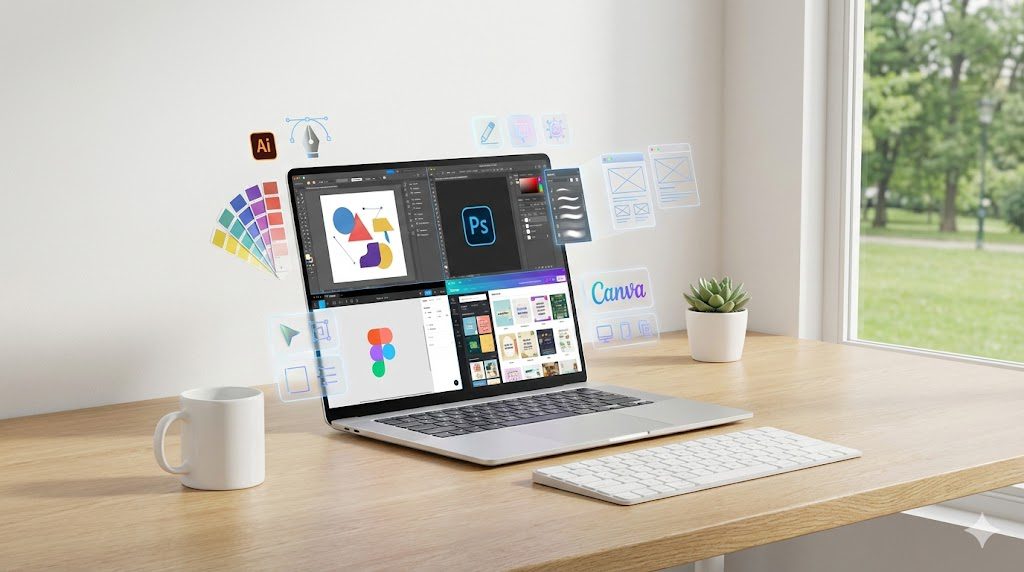
What is Graphic Design Software? Definition & Key Purposes Graphic design software refers to digital tools that help designers create, edit, and publish visual content across print, digital, and interactive mediums. These tools allow you to work with images, shapes, vector graphics, colors, layouts, typography, and complex compositions. Modern design platforms support a wide range of tasks, from manipulating photos to building detailed illustrations, crafting social media graphics, designing websites, and preparing print-ready files. As described in multiple current design reviews, these platforms serve the core purpose of enabling creative professionals and beginners to express ideas through structured, high-quality outputs visually. How the Design-Software Landscape Has Evolved The design industry has transformed significantly, especially with AI and web-based collaboration. Today’s software is not just about brushes or layers; many tools integrate artificial intelligence to automate tasks such as background removal, smart selection, layout suggestions, or color correction. Reviews emphasize that AI has become a seamless part of creative workflows, making processes faster without replacing creativity. Collaboration has also changed dramatically. Tools like Figma and Canva allow teams to work together in real time, no matter where they are, making the entire design process more dynamic and accessible. This evolution means that the “best” software now depends more on workflow, teamwork, and adaptability than just editing capabilities. Why Choosing the Right Software Matters Impact on Workflow, Output, and Budget Selecting the right graphic design software has a direct influence on the quality and efficiency of your work. Professional reviews highlight that the ideal tool should fit your design tasks, skill level, and project goals. For example, a designer working with scalable logos would struggle in a photo-editing tool instead of using a vector-based solution like Adobe Illustrator. Similarly, a marketing team producing fast social-media graphics may get more value from a template-rich platform rather than an advanced professional suite. Cost also plays an important role. With subscription-based models becoming common, the wrong software can gradually drain your budget without providing the necessary features, especially if you require multiple tools. Common Pitfalls When Choosing Wrongly Many beginners make the mistake of choosing popular software instead of choosing what they actually need. This can result in wasting time learning overly complex features or not having the right tools for specific tasks. Reviews often mention that choosing software without considering file-format compatibility, collaboration requirements, or long-term scalability can cause workflow disruptions. Designers may also face challenges when clients or teams use different tools, leading to limited compatibility or extra steps like constant file conversion. Understanding these pitfalls helps you make a more strategic choice. Categories of Graphic Design Software and Use-Cases Professional Industry-Standard Suites Professional suites remain the backbone of industries like advertising, print design, branding, and product packaging. Adobe Illustrator, Adobe Photoshop, and Adobe InDesign are consistently ranked as industry leaders because they offer deep feature sets, precise control, and compatibility across professional environments. Illustrator is known for creating vector graphics that can scale without losing quality, Photoshop is famous for image editing and manipulation, and InDesign excels at multi-page layouts for magazines, brochures, and digital publications. These platforms are often part of Adobe’s Creative Cloud ecosystem, offering seamless integration but requiring a subscription. Collaboration, UI–UX, and Team-Oriented Tools Web-based collaborative software has become essential for UI-UX designers, product teams, and agencies that work in real time. Figma stands out for its cloud-native design approach, allowing multiple people to work on the same file simultaneously. It is widely valued for prototyping, interface design, and digital product creation. Because the tool runs inside a browser, it removes issues of installation, device compatibility, and version conflicts, making it a favorite for modern digital teams. Beginner-Friendly and Template-Driven Tools Beginners, marketers, and small businesses often prefer tools that simplify design without requiring advanced skills. Canva is frequently mentioned as a platform that democratized design through drag-and-drop simplicity and thousands of templates. It is ideal for creating social-media graphics, posters, presentations, and marketing materials. By blending ease of use with a large library of pre-made layouts, Canva allows non-designers to create visually appealing graphics quickly. Budget-Friendly and Specialized Alternatives Some designers prefer avoiding monthly subscriptions. Affinity Designer and Affinity Photo are popular one-time-purchase alternatives to Adobe tools. They provide professional-grade editing capabilities at a lower cost, making them attractive to freelancers, small studios, or users transitioning away from subscription models. These tools offer strong performance but may lack some plugins or AI features found in Adobe’s ecosystem. Other specialized alternatives include tools designed for illustration, vector art, or niche creative tasks. Key Features to Evaluate When Selecting Software Vector vs Raster Capabilities Vector and raster tools serve different purposes, and reviews stress the importance of understanding the difference. Vector tools like Illustrator are used for logos, icons, and scalable artwork, while raster tools like Photoshop handle detailed images and photo manipulation. Choosing the wrong type can limit your output or produce poor-quality results when scaling. Platform and Output Support Your platform—Windows, macOS, or web-based—also influences your choice. Some tools are desktop-only, while others work entirely in a browser. Output formats matter too, especially if you are designing for print, web, or mobile. Professional tools offer more control over color profiles, print bleed, CMYK compatibility, and export presets. Collaboration and Interoperability If you work in a team, real-time collaboration and file compatibility become essential. Modern workflows rely heavily on tools that allow shared access and integrated feedback. Reviews highlight that Figma leads in this area, while Adobe tools are strong in cross-app interoperability. Licensing and Cost Model Subscription models like Adobe Creative Cloud provide constant updates but can be expensive in the long run. One-time purchase tools like the Affinity suite can be more budget-friendly, though they may not update as frequently. Web-based platforms like Canva offer free versions with optional upgrades, making them suitable for occasional designers. Learning Curve and Community Support Some tools require months of practice, while others can be learned in hours. Photoshop and Illustrator offer professional depth but come with a steeper
What Tool Is Best for Graphic Design? (Complete Guide)
Introduction The world of graphic design has never been more exciting, and choosing the right tool is now one of the most important decisions for beginners, freelancers, and professional designers. In 2025, the design ecosystem has expanded dramatically as software continues to evolve with AI-assisted creativity, advanced collaboration systems, and device-friendly platforms that make high-quality design more accessible than ever before. According to TechRadar, the industry today is shaped by powerful hybrid workflows, cloud tools, and specialized software that cater to almost every creative purpose. With so many options available, selecting the ideal tool requires clarity about your needs, your skill level, and the type of work you want to produce. What to Consider When Choosing a Graphic-Design Tool Functionality and Features A great design tool should offer the right mix of capabilities, from vector illustration to photo manipulation and layout design. Most modern tools now offer AI enhancements that automate repetitive tasks, speed up workflows, and support creative ideation. As SelectHub notes, many applications combine multiple functions—such as illustration, layout design, and photo editing—to help creators work efficiently within a single environment. Ease of Use and Learning Curve Some tools are built for professionals who prefer complete control and sophisticated editing capabilities, while others prioritize simplicity so beginners can start designing in minutes. Platforms like Canva emphasize a template-driven drag-and-drop experience, perfect for users without technical design backgrounds, while professional-grade tools like Adobe Illustrator require deeper learning due to their advanced feature sets. Budget and Licensing Model The price of design tools varies significantly. Some platforms require monthly subscriptions, while others offer affordable one-time purchases. Creative Bloq highlights Affinity Designer as one of the strongest single-purchase alternatives to subscription-based Adobe products, making it attractive for freelancers and students. Collaboration and Cloud Workflows Team projects increasingly depend on real-time collaboration. Tools like Figma have transformed the design space by offering browser-based editing and live teamwork features. According to TechRadar, cloud-native platforms are becoming essential in workflows that involve remote teams or constant client feedback. Device and Platform Compatibility Whether you work on Windows, macOS, the web, or mobile devices, compatibility matters. Many tools now offer multi-platform versions and cloud syncing, ensuring seamless work across desktops, laptops, and tablets. Top Graphic-Design Tools to Evaluate in 2025 Adobe Photoshop Adobe Photoshop remains the industry leader for raster graphics, photo manipulation, and digital artwork. WeAndTheColor’s analysis confirms that Photoshop continues to dominate due to its advanced editing capabilities and integration of AI features that simplify complex tasks such as background removal and content-aware adjustments. It is still the preferred tool for photographers, digital artists, and professionals who require pixel-level precision. Adobe Illustrator Adobe Illustrator stands as the gold standard for vector design, widely used for logo creation, branding, icons, typography, and illustrations. Creative Bloq repeatedly cites Illustrator as the primary choice for professional vector work due to its precision tools, scalable outputs, and seamless integration with the Adobe ecosystem. Canva Canva has become a global favorite for beginners, social media creators, and small businesses. Creative Bloq describes it as one of the easiest platforms to master due to its library of templates, simple drag-and-drop interface, and web-based accessibility. It is best suited for quick designs, marketing graphics, presentations, and content creation without needing technical design skills. Figma Originally known for UI/UX design, Figma has grown into a powerful collaborative tool for graphic design as well. TechRadar notes that its real-time editing capabilities, web-native design approach, and shared workspaces make it ideal for teams and complex digital projects. Figma is increasingly used for branding, layout creation, and even lightweight illustration. Affinity Designer (and Affinity Photo) Affinity Designer offers a strong alternative to Adobe products, especially for users who prefer a one-time purchase model. Creative Bloq praises it for its smooth performance, vector and raster editing modes, and professional-grade features at an affordable price. When paired with Affinity Photo, it becomes a complete design suite for those who want value without sacrificing power. Free and Open-Source Tools (GIMP, Inkscape) Free design software continues to evolve, and platforms like GIMP and Inkscape remain strong options for budget-conscious users. Creative Bloq points out that these tools provide essential editing and illustration features that make them suitable for beginners or hobbyists who want to learn the basics without financial commitment. Emerging Tools and New Trends The design industry is also welcoming new AI-powered tools that offer automated creativity, layout suggestions, and generative visuals. Cotocus highlights that several emerging platforms combine machine learning with design principles to simplify concept creation, making these tools increasingly popular among modern designers. Matching the Tool to Your Specific Needs For Beginners and Non-Designers Beginners usually benefit from software that emphasizes simplicity and templates. Canva remains one of the best entry-level options since it doesn’t require advanced knowledge and still delivers polished results. It helps new users build confidence while producing attractive designs quickly. For Professional Designers and Agencies Professionals who work on complex projects often depend on tools that offer maximum control, industry-grade precision, and compatibility across teams. Adobe Illustrator, Adobe Photoshop, and Affinity Designer are the top choices for agencies and advanced designers who require robust capabilities and high-resolution output for print and digital media. For Freelancers and Small Teams Freelancers need software that balances affordability, flexibility, and performance. Affinity Designer provides a cost-effective yet powerful alternative, while Figma is ideal for freelancers collaborating with clients on real-time projects or shared boards. For Print vs. Digital Design Projects Vector tools like Illustrator and Affinity Designer excel in print-based work due to their scalability, color precision, and control over layout. For digital design, Figma and Photoshop are more suitable because they offer stronger UI/UX tools, pixel-based editing, and screen-optimized workflows. For Budget vs. Enterprise Workflows Those on tighter budgets often prefer Canva, GIMP, or Affinity products, all of which offer strong functionality with minimal cost. On the other hand, enterprise teams typically adopt Adobe Creative Cloud or Figma due to their advanced collaboration features and integration across larger projects. Pros and Cons